AI Sticker Maker: Turn Pet Photos into Stickers
The Sticker maker app turns the main subject of your photo into a cute chibi sticker with a thick white die-cut border. Make Happy, Love, Sleepy and Thanks versions of your dog, cat or selfie to use in KakaoTalk, LINE or WeChat chats and Instagram stories.
Upload one photo. Each app uses 2 credits.
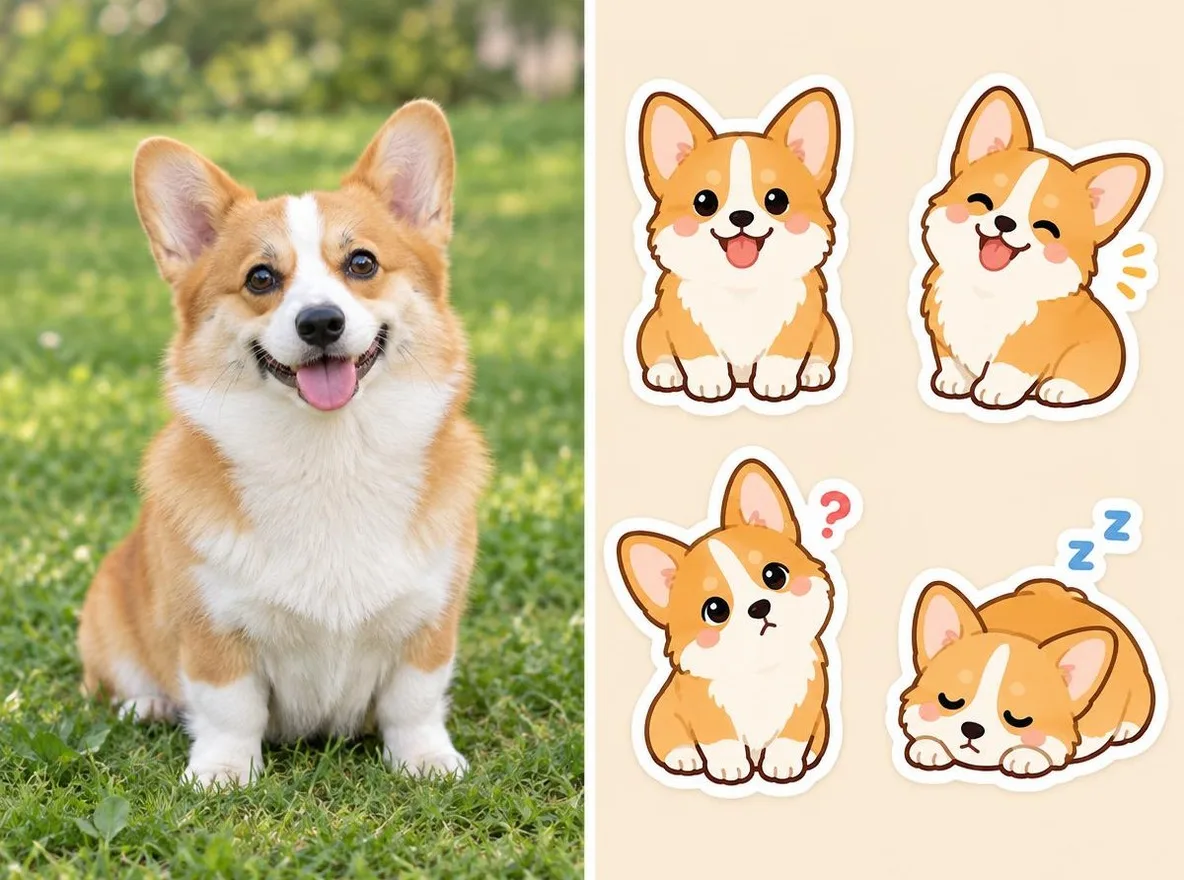
How it works
- Upload one photo where your pet or the person fills most of the frame.
- Choose an expression: Happy, Love, Sleepy or Thanks.
- Click transform, check the sticker and download it.
Options
Good for
- Stickers of your pet
- Selfie stickers for group chats
- Decorating Instagram stories
Tips for better results
- One subject filling the frame gives the cutest result.
- Pick a photo where fur or clothing color contrasts with the background for a crisp outline.
- Make all four expressions to use them as a set (2 credits each).
Questions
How much does it cost?
Each transformation uses 2 credits and requires a free account. You get 50 credits when you sign up, plus 10 bonus credits every day.
Can I make stickers from a friend's photo?
Only upload photos of yourself or photos you have the right to use. Impersonating real people or using results to deceive others is prohibited. Uploaded photos go through a safety check, you can delete your generated images at any time, and nothing appears in the public Explore feed unless you choose to share it.
Can I submit the stickers straight to a sticker store?
The output is a 1:1 image on a light grey background with a white border, not a transparent file. To sell stickers on LINE, KakaoTalk or WeChat, check that platform's size, background and set requirements and edit the files first.
More apps
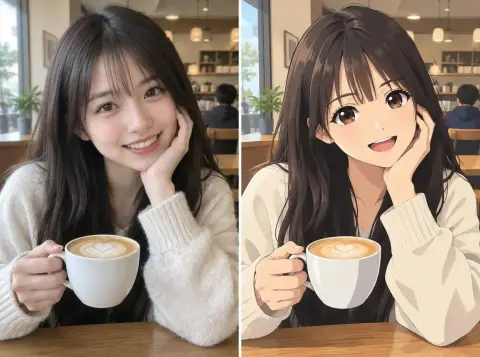
Photo to anime2
Redraw a selfie as anime, webtoon, watercolor or a 3D figure.

AI profile photo2
Turn a casual selfie into an ID photo, a job-application headshot or a social avatar.

Traditional outfits2
See yourself in hanbok, kimono, qipao or hanfu.

Travel backdrop2
Keep yourself, swap the background for Kyoto, Seoul, Shanghai or Jeju.