FREE TO START · ANIME, WEBTOON, GUOFENG
AI Anime Image Generator: Anime, Webtoon, Guofeng
Pickshot is an AI image generator that turns a short scene description into anime, webtoon or guofeng illustrations. Pick a style preset and an aspect ratio, and get up to 4 images per generation. You can try it without an account for up to 8 images a day on free models.
No installation. No credit card. Private by default.
What is an AI anime image generator?
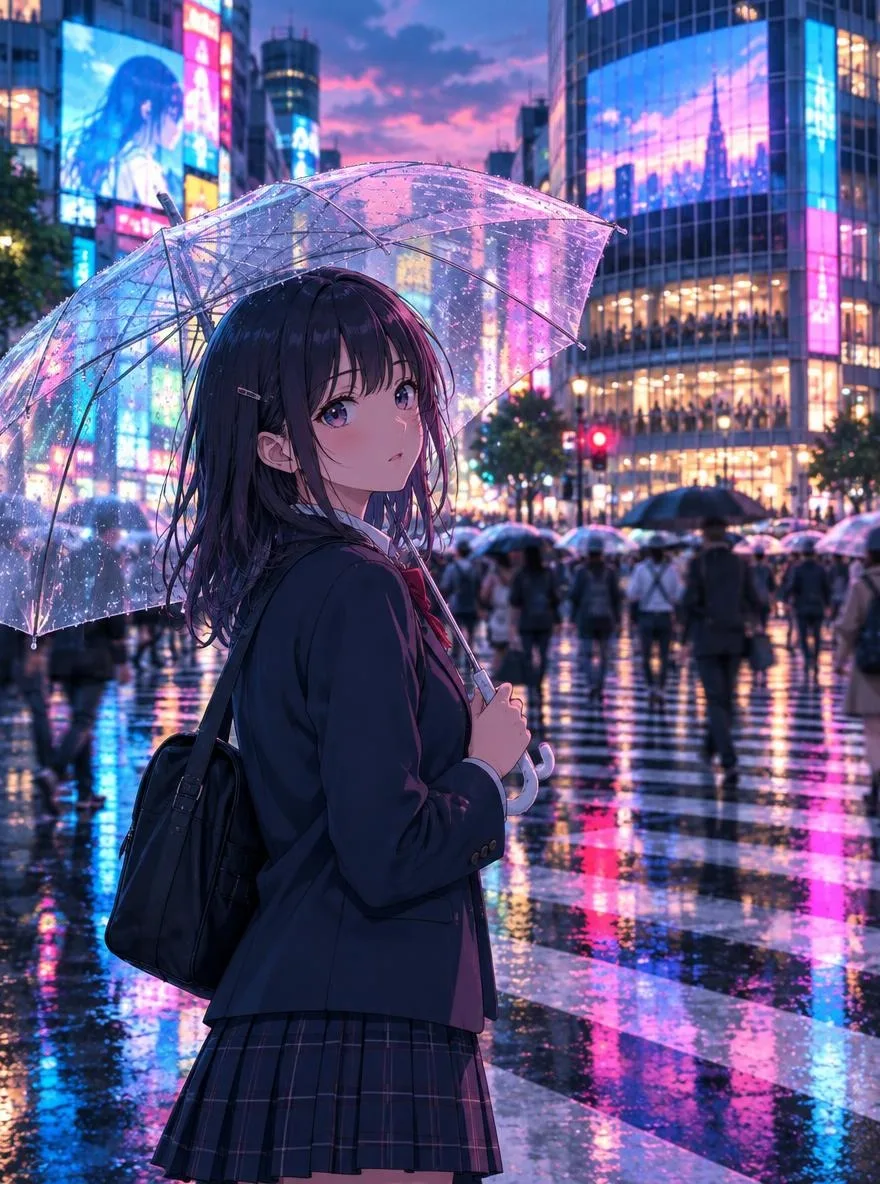
An AI anime image generator is a tool that draws illustrations in an anime or comic style from a text description. Pickshot accepts prompts in English, Korean, Japanese and Simplified Chinese, translating non-English prompts to English for the model automatically. Asian art styles such as anime, Korean webtoon, Chinese guofeng painting, sumi-e ink wash and ukiyo-e are available as one-click presets.
Why create anime art with Pickshot
Write prompts in your language
Describe a scene in English, Korean, Japanese or Chinese and Pickshot handles the translation. Prompt magic expands a short idea into a detailed scene description.
Asian style presets
Choose from 18 presets including anime, webtoon, guofeng, ink wash, ukiyo-e, lo-fi anime, 3D chibi, pixel art and Eastern fantasy.
Keep the same character
Register 1 to 3 reference images of an original character and generate new scenes with the same face, hair and outfit, which suits comic storyboards and series.
Free models that suit illustration
Use free models such as SDXL Lightning, which is good at anime and illustration, and switch to a credit model like FLUX.2 Dev when you need finer detail.
Ratios for every platform
Pick from 8 aspect ratios, including 1:1, 4:5, 9:16 and 16:9, matched to Instagram, Reels, YouTube, blogs and posters.
Safety checks before generation
Sexual and violent requests are blocked before generation. Your images stay private until you choose to share them.
How to make anime art with AI
Pick a style
Select a preset such as anime, webtoon or guofeng. The preset sets the art style, lighting and texture.
Describe the scene
Write the character, setting and mood in your own language. Keep it short and let prompt magic fill in the details if you like.
Choose a ratio and generate
Set the aspect ratio and number of images (up to 4), then generate. Save the results you like or share them to the Explore feed.
How Pickshot differs from typical AI art tools
Most mainstream image generators are built around English-speaking users and Western illustration styles.
Mainstream tools
- − Often need English prompts to get the intended result
- − Western styles by default, so webtoon or guofeng looks need long, specific prompts
- − Priced and billed in US dollars only
- − Characters drift because you re-describe them in every scene
Pickshot
- ✓ Prompts in Korean, Japanese and Chinese are translated automatically
- ✓ Built-in presets for anime, webtoon, guofeng, ukiyo-e and ink wash
- ✓ Local-currency pricing in KRW, JPY, CNY and USD (Plus from $7.99/mo)
- ✓ Register a character with reference images and keep the same face across scenes
Use cases
/01
Webtoon storyboards and character sheets
Draft character designs and scene thumbnails quickly before you start a series.
/02
Instagram character accounts
Post a steady feed of 4:5 anime illustrations for an original character account.
/03
Messenger stickers and avatars
Use the sticker and 3D chibi presets to draft sticker sets and profile icons for LINE or KakaoTalk.
/04
Blog and video thumbnails
Create 16:9 lo-fi anime or Eastern fantasy artwork for blog headers and YouTube thumbnails.
Pay for what you use, in your currency
8 images/day without an account; 100/day plus 50 credits with a free account
1,500 credits every month
5,000 credits every month
Preview period: generation opens soon, and every screen and option is available to explore now.
Questions
Is it free?
Yes. Without an account you can create 8 images a day on free models, and a free account raises that to 100 a day plus 50 credits on sign-up and 10 bonus credits daily. The daily quota resets at 00:00 KST/JST (UTC+9).
Which model is best for anime?
Among the free models, SDXL Lightning is strongest for anime and illustration. The default FLUX.2 Klein 4B is also free and supports character reference images.
Can I draw the same character in different scenes?
Yes. Register 1 to 3 reference images in Characters to generate new scenes with the same face, hair and outfit. You can save up to 20 characters.
Can I draw existing characters or real people?
Impersonating real people is prohibited. We recommend working with original characters, and model licenses and the rights of original creators still apply.
Who owns the images I create?
You own the images you generate, and each model's license still applies. Label AI-generated images when you post them, following each platform's rules.
How much do paid plans cost?
Plus is $7.99, Pro $19.99 and Max $44.99 per month. Paid checkout is not open yet; join the waitlist to get 50% off your first month.
Draw your first anime illustration
Pickshot is in preview, and you can create up to 8 images a day without signing up. Pick a style and describe the scene in one line.
Start creating for free