How to write prompts for Nano Banana 2
Nano Banana 2 makes pictures from a sentence and edits the pictures you give it. Google now calls it the previous generation and recommends Nano Banana 2.1 for new work; both are separate models on our shelf. The first two sections put Google’s own documentation in our words, and we did not test them. The last section rests on sample pictures and edits made with Nano Banana 2 that we looked at ourselves.
Written from the provider’s documentation and from results we checked ourselves. Last checked November 8, 2026.
Make something with Nano Banana 2The Nano Banana 2 model page
Google’s prompt advice, point by point
From the provider’s documentation
- Google’s documentation lists habits for Nano Banana prompts. The first is to be very specific: its example swaps “fantasy armor” for a description of the materials, patterns and shapes of the armor.
- State the purpose of the picture, because the model’s sense of context shapes what it draws.
- Build a complex scene in steps: the background first, then the foreground, then the final elements.
- Describe what you want rather than what you want to leave out, such as an empty street instead of no cars, and steer the framing with photography words such as wide-angle shot, macro shot or low-angle.
- Iterate in small steps: a follow-up that changes the light, or that keeps everything the same except one element.
Editing, keeping people and objects steady, and limits
From the provider’s documentation
- For an edit, give the picture with an instruction that says what to add, remove or change and how it should blend with the light and the scene. To change one element, describe only that element and say that style, light and composition stay as they are.
- To change the style, name the target style, say that the original composition is kept and describe the brushwork or the palette. To combine pictures, say which element comes from each and describe the finished scene, including how the light should match.
- Google says Nano Banana 2 keeps the look of up to four characters and the detail of up to ten objects within one piece of work.
- Its list of limits says you may not get the number of pictures you asked for, that text should be written first and the picture requested afterwards, and that the model handles languages including English, Korean, Japanese and Chinese well.
What our sample pictures and edits showed
From results we checked ourselves
- Prompts that stack several details were followed detail by detail. The teh tarik vendor pours frothy tea in a long arc between two steel mugs, with steam glowing under a bare bulb and a playful grin, all as written. The winter campsite diorama has the glowing tent, the small fire, two little figures toasting marshmallows and snow-dusted pines, in felt and clay with a tilt-shift toy look.
- Style names were read clearly. The sticker sheet, the Art Nouveau panel with gold ornaments and the pop-art face with halftone dots each look like what they were called. These three prompts said “no text”, “without text” and “without speech bubbles”, and none of the three pictures has any lettering. The sticker prompt named four foods and the sheet has ten stickers, so the model added others, and it shows the sheet as a printed card standing on a pastel surface rather than as a flat sheet.
- The Osaka canal at night asked for reflections of signs “without readable text”, and the signs along the water still carry plenty of Japanese lettering. Where a scene is full of signs, the request did not hold in this sample.
- In the edit pairs, the change happened and the rest stayed close. Removing everyone left an empty street with the stalls and the lanterns in place. The pastel pink bob changed only the hair, and the coat, the scarf and the birch trees are the same. The spring edit put cherry blossoms along the terraces, but it also turned the light from gold to pink, which the prompt did not ask for.
Real results and the prompts behind them
Results made with this model. The prompts are shown exactly as written, in English.
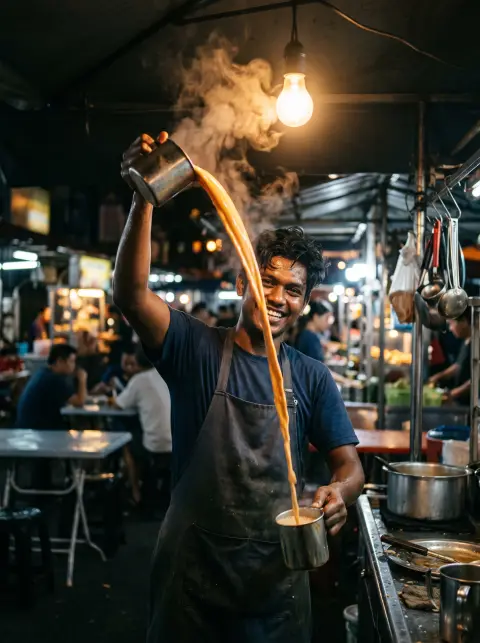
Malaysian teh tarik vendor in his twenties pouring frothy milk tea in a long arc between two steel mugs at a Penang hawker stall before sunrise, steam glowing under a bare bulb, playful grin, 35mm reportage
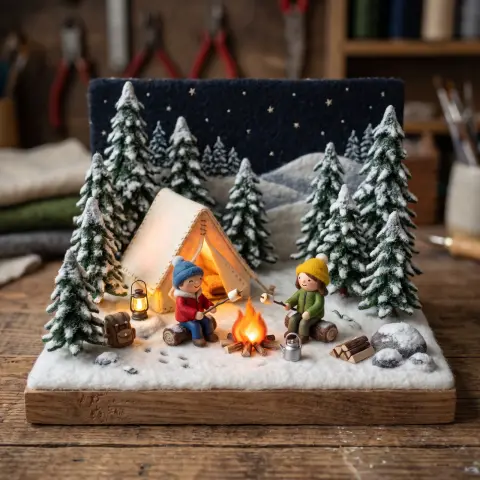
3D miniature diorama of a winter campsite with a glowing tent, a tiny campfire, two little figures toasting marshmallows and snow-dusted pines, felt and clay textures, tilt-shift toy look
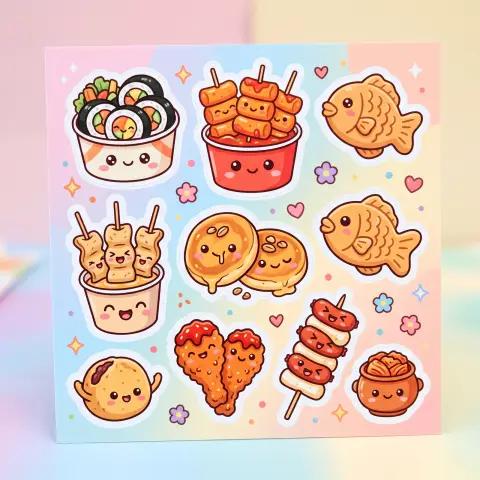
Kawaii sticker sheet style illustration of Korean street foods with cute faces, tteokbokki, hotteok, odeng, gimbap, white outlines, pastel background, no text
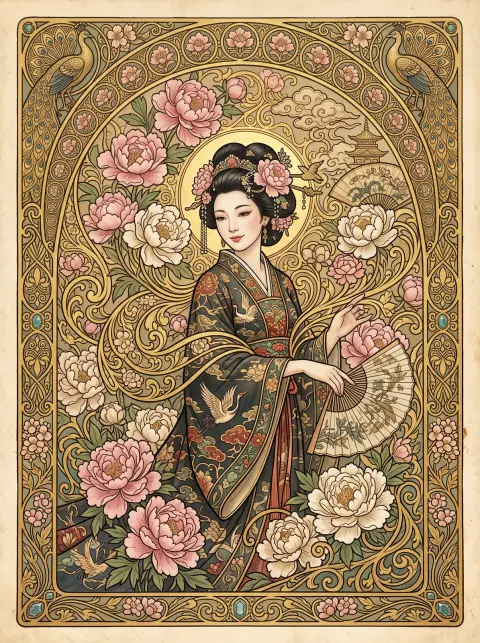
Art nouveau style illustration of a woman surrounded by peonies and swirling gold ornaments, Mucha-inspired with East Asian motifs, rich decorative border without text
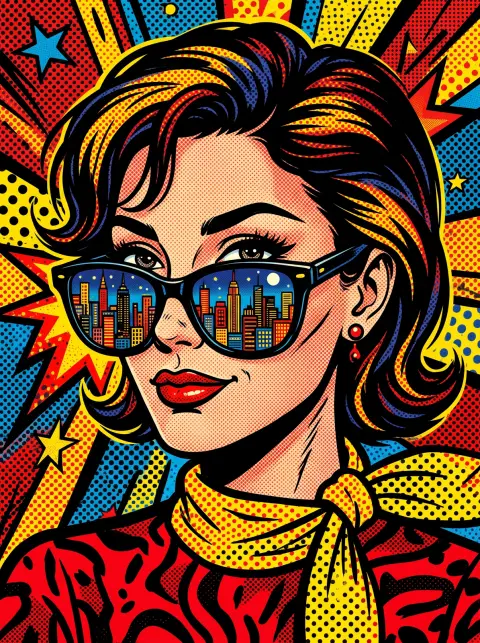
Bold pop-art illustration of a woman with sunglasses reflecting a city skyline, halftone dots, vivid red and yellow, comic style without speech bubbles
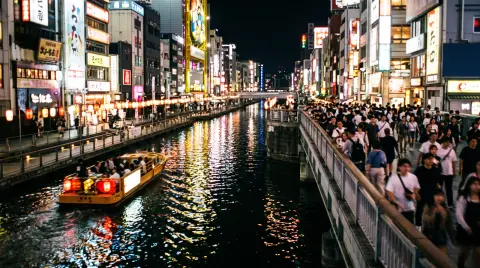
City: Osaka's canal district at night with reflections of signs without readable text, a riverboat passing, energetic crowd on the bridge
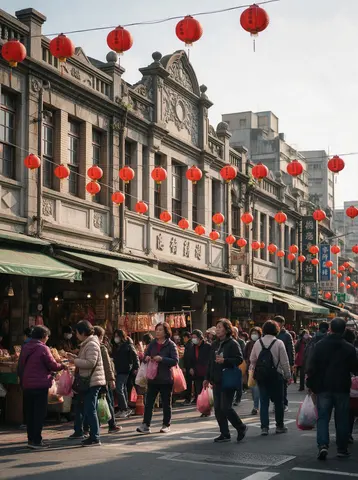 قبل از
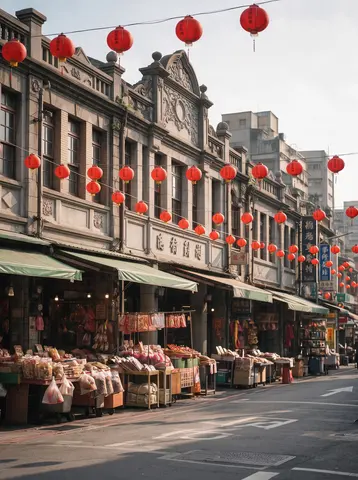 بعد از
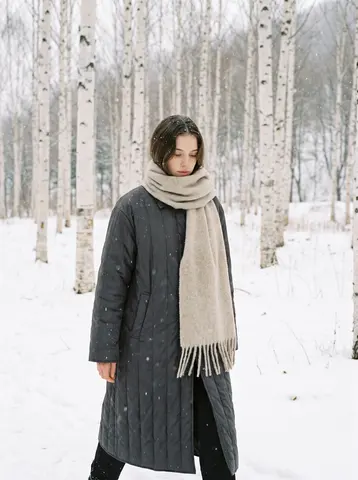 قبل از
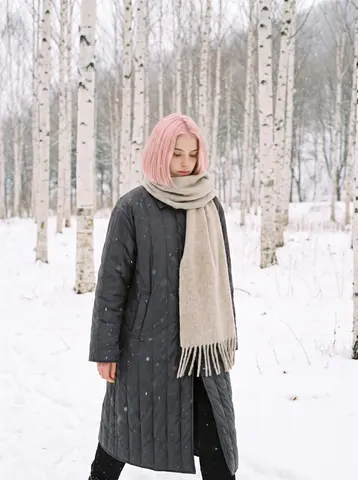 بعد از
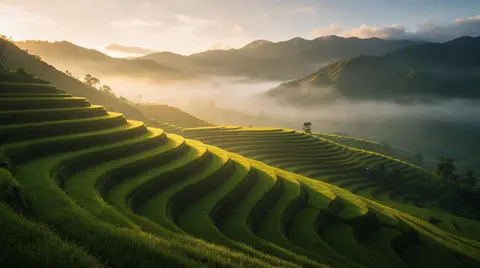 قبل از
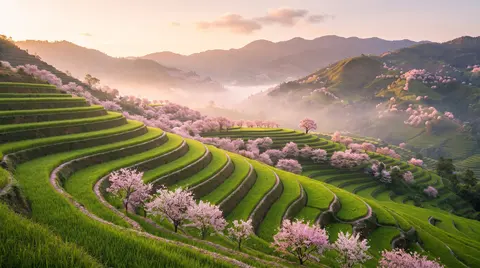 بعد از
Settings of this model
- از
- تایپ کنید
- AI image model
- روش ساخت
- متن به تصویر · ویرایش تصویر
- وضوح
- 1K / 2K
- قیمت
- from 116 / image
سوالات
Should I use Nano Banana 2 or Nano Banana 2.1?
Google lists Nano Banana 2 as the previous generation and recommends Nano Banana 2.1 for new projects. They are separate models with separate pages here, and we have not compared them. If the difference matters to you, try the same prompt on both.
How do I take people out of a picture?
Give the picture and say what to remove, as in “Remove everyone so the street is empty”. In our sample the people were gone and the stalls and lanterns stayed, with the area where they stood filled in. Look at the edges of that area.
Why does my picture have lettering I did not ask for?
Scenes full of signs tend to get lettering. Our Osaka sample asked for signs without readable text and still has Japanese lettering along the canal. Google advises describing what you want, so say what the signs should show in positive words, and check the result.
Provider documentation we read
We read these pages and wrote the points that matter in our own words. The provider may change them.
- Image generation (Google AI Studio documentation) (aistudio.google.com)
More prompting guides
- How to write prompts for GPT Image 2.6 FlareAI image model
- How to write prompts for GPT Image 2.6 SunburstAI image model
- How to write prompts for Nano Banana 2.1AI image model
- How to write prompts for MOSS ImageAI image model
- How to write prompts for Grok Imagine ProAI image model
- How to write prompts for Nano Banana ProAI image model
- How to write prompts for GPT Image 2.5 FlareAI image model
- How to write prompts for IndigoAI image model
- How to write prompts for SaffronAI image model
- How to write prompts for CeladonAI image model
- How to write prompts for LapisAI image model
- How to write edit requests for Umberویرایشگر تصویر هوش مصنوعی
- How to write prompts for Kling Video 4.0AI video model
- How to write prompts for Seedance 2.5AI video model
- How to write prompts for Seedance 2.0 MiniAI video model
- How to write prompts for Kling V3AI video model
- How to write prompts for Kling O3 OmniAI video model
- How to write prompts for Veo 3.1AI video model
- How to write prompts for Veo 3.1 FastAI video model
- How to write prompts for SilkAI video model
- How to write prompts for LacquerAI video model
- How to write prompts for SatinAI video model
نام مدلها، شرکتها و محصولات موجود در این سایت، علامت تجاری صاحبان آنها هستند؛ Pickshot وابسته به آنها نیست و از سوی آنها حمایت یا تأیید نمیشود.