How to write prompts for Nano Banana Pro
Nano Banana Pro makes pictures from a sentence and edits the pictures you give it. The first two sections put Google’s own documentation in our words, and we did not test them. The last section rests on sample pictures and before-and-after edits made with this model that we looked at ourselves.
Written from the provider’s documentation and from results we checked ourselves. Last checked November 8, 2026.
Make something with Nano Banana ProThe Nano Banana Pro model page
How Google describes Nano Banana Pro, and how to write for it
From the provider’s documentation
- Google’s documentation presents Nano Banana Pro as its premium image model: it reasons through a request before it draws, follows complex instructions, keeps a brand look steady and renders text in fine detail. It points to this model for professional assets such as menus, infographics, diagrams and marketing pictures.
- It asks you to be specific: exact materials, patterns and shapes in place of a loose label, and the purpose of the picture, such as a logo for a skincare brand or a cover for a menu.
- Its template for a realistic photograph runs in a set order: the kind of shot, the subject, the setting, the light, the camera angle and the lens. For a stylised picture, name the style, the subject and what it is doing, the visual traits such as outlines or shading, and the colours or background.
- Describe what you want, not what you do not want: Google’s own example is an empty street rather than a street with no cars. For a complex scene, build in order from the background to the things in front to the main subject, and use camera words such as wide-angle, macro or low angle.
Text, edits and several pictures
From the provider’s documentation
- For words in the picture, Google’s template asks for the kind of image, the brand or idea, the exact text in quotes, a lettering style, the overall design and a colour scheme. Its list of limits adds a tip: write the text first, then ask for the picture that contains it.
- To change a picture, give it with a short instruction. For one change, name that one thing and say that everything else, such as style, light and composition, stays. To protect a face or a logo, describe it in detail and say it must not change.
- To combine pictures, say what to take from each and describe the finished scene, including how the light should match. Google says Nano Banana Pro can take up to 14 pictures in all and holds five of them at high fidelity. Pickshot’s own limit can be lower, so check the form.
- Treat the first result as a draft and follow with small changes, such as warmer light. Google lists limits too: you may not get the number of pictures you asked for, and it names English, Korean, Japanese and Chinese among the languages it handles well.
What our sample pictures and edits showed
From results we checked ourselves
- Named details came through. The prompt for three kittens in a basket of folded laundry gave three kittens: an orange one, a patched one and a striped one. The old fisherman has the navy knit cap, the net on the wooden pier and the breath in the cold air that the prompt listed, with the harbour softly blurred behind him. The kite picture reads as a children’s book illustration in soft gouache, with the girl, her grandfather and the carp-shaped kite over autumn fields.
- Two street scenes asked for signs “without readable text”, and both still show lettering. The Tokyo market has large brush-lettered signs in Japanese, and the Seoul alley has paper lanterns and boards printed with Japanese and Korean characters. The sci-fi room that asked for holographic screens “without readable text” shows only symbols and shapes on its screens. In these three samples the request held on the screens and slipped on the street signs. Google’s advice to describe what you want fits here: if you need blank signs, say so in positive words, such as plain unmarked boards. We did not test that.
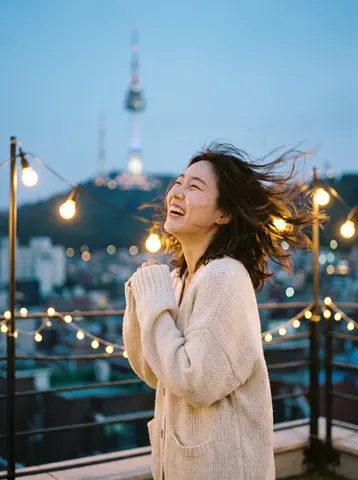
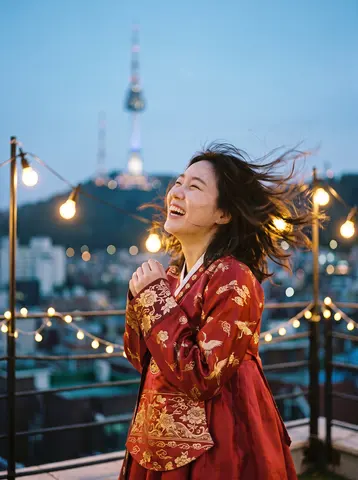
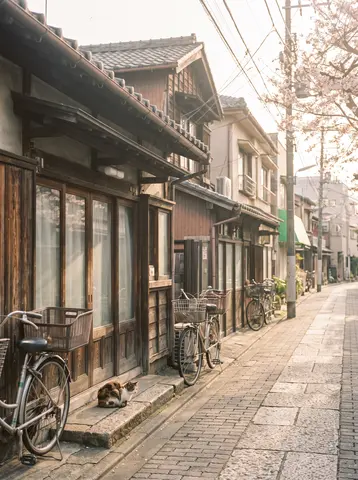
- In the edit pairs, the change that was asked for happened. The cream sweater became a red silk hanbok with gold embroidery while her face, pose and the rooftop behind her stayed. The serum bottle kept its shape and gold cap and moved onto a wet rock at a sunset beach. The living room got a mustard velvet sofa and walnut furniture, with the windows and the angle kept.
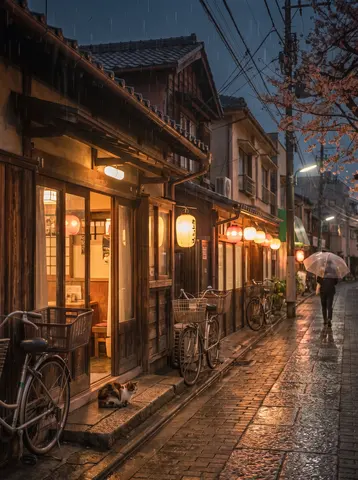
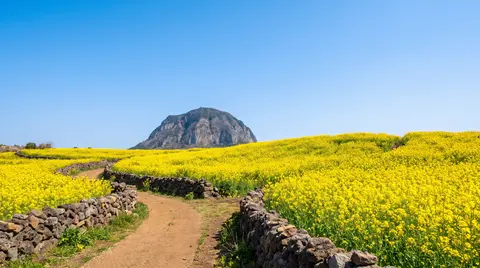
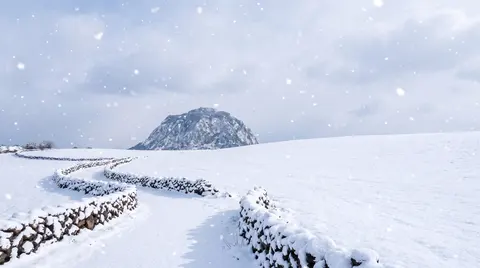
- Edits also changed things that were not asked. The rainy-night street gained a person with an umbrella and red lanterns. The mid-century room gained a rug, a lamp and plants, and its billowing curtain now hangs still. In the winter edit the dirt path vanished under snow and the stone wall changed shape, although the prompt said same composition. Look at the whole picture, not only at the change you asked for.
Real results and the prompts behind them
Results made with this model. The prompts are shown exactly as written, in English.
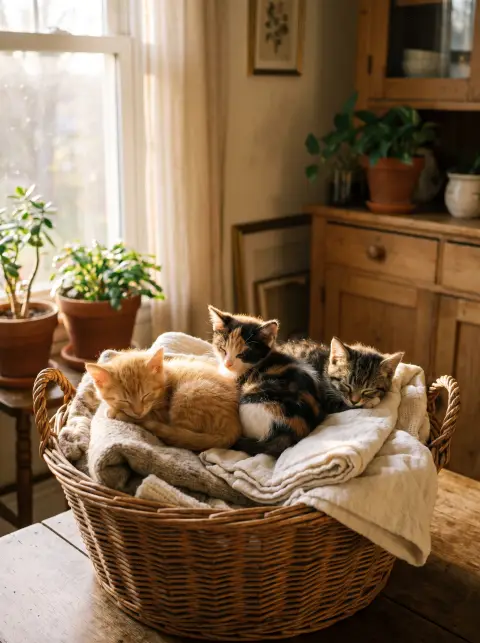
Three kittens sleeping in a basket of folded laundry, soft morning window light, warm homely scene
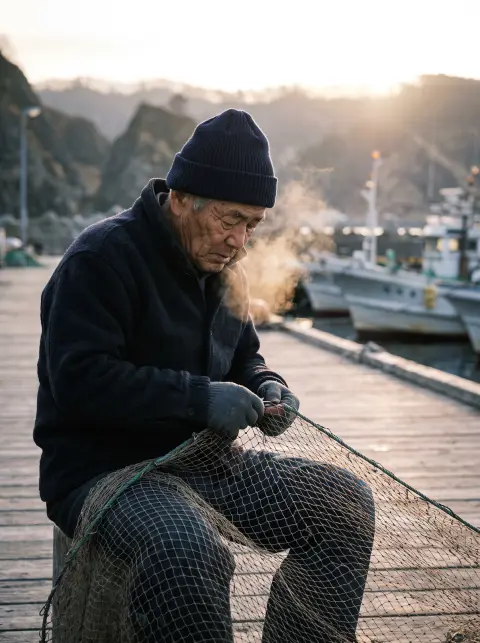
Elderly Japanese fisherman in his seventies mending a net on a wooden pier in Hokkaido at dawn, deep sun-carved wrinkles, navy knit cap, breath visible in cold air, low golden side light, shallow depth of field, documentary photography, Fujifilm color
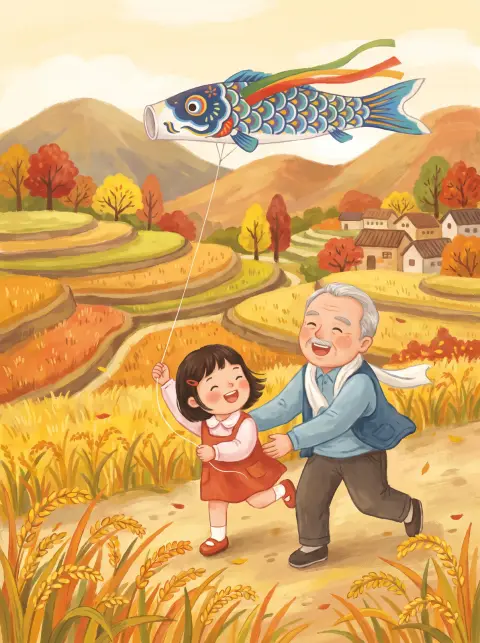
Children's book illustration: a girl and her grandfather flying a kite shaped like a carp over autumn rice fields, soft gouache textures
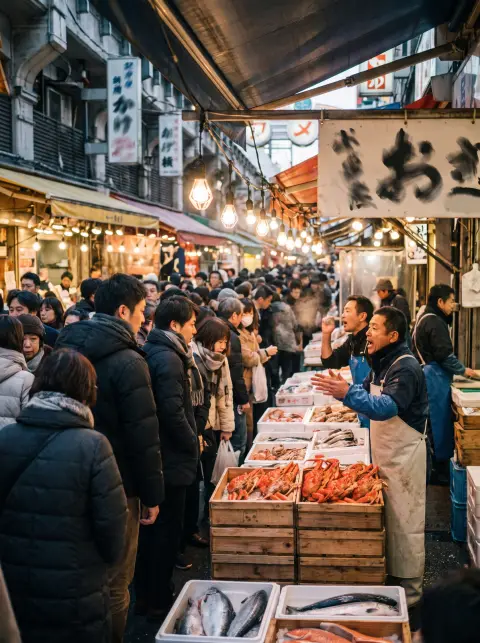
Tokyo's Ameyoko market street in the last days of December, vendors calling out over crates of crab and salmon, dense crowds in winter coats, bare bulbs glowing, signage without readable text, street photography
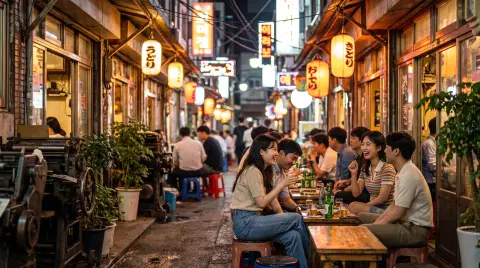
Seoul Euljiro alley at night with retro printing shops turned bars, glowing signs without readable text, young people at outdoor tables, nostalgic and lively
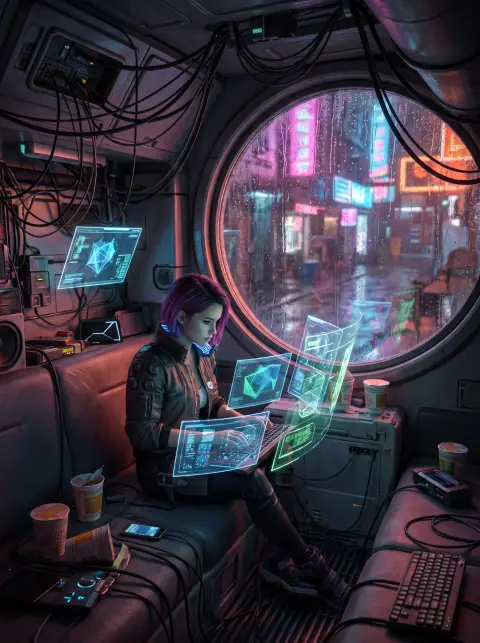
Sci-fi: a hacker girl in a cluttered capsule apartment surrounded by floating holographic screens without readable text, rain on the window, neon spill
 Sebelumnya
 Setelah
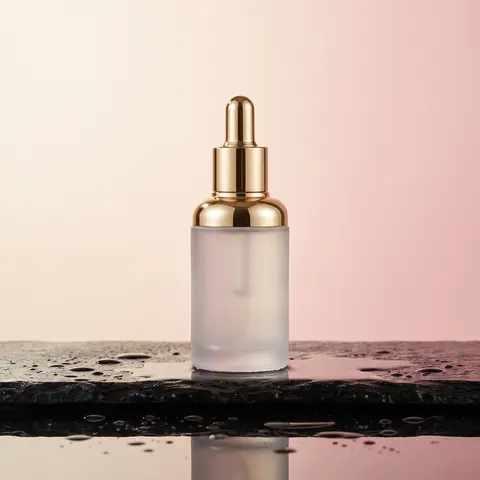 Sebelumnya
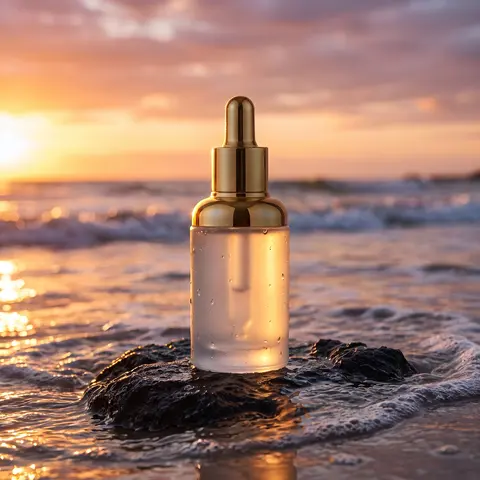 Setelah
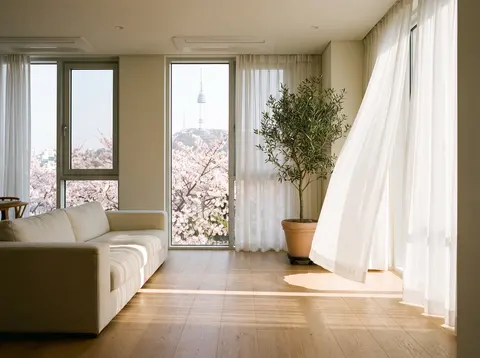 Sebelumnya
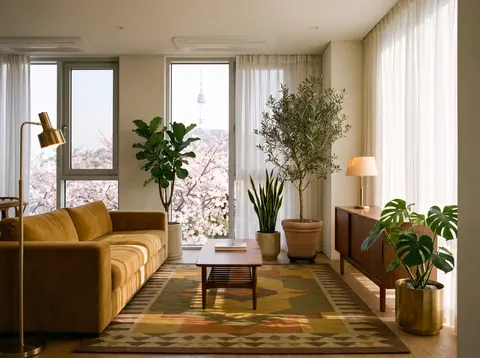 Setelah
 Sebelumnya
 Setelah
 Sebelumnya
 Setelah
Settings of this model
- Dari
- Ketik
- AI image model
- Cara pembuatan
- Teks ke gambar · Pengeditan gambar
- Resolusi
- 1K / 2K / 4K
- Harga
- from 232 / image
Pertanyaan
Should I write what I do not want in the picture?
Google’s documentation advises against it and says to describe the scene you want, for example an empty street rather than a street with no cars. In our samples, “without readable text” held on holographic screens and did not hold on street signs, so check the result when it matters.
How do I get exact words into the picture?
Put the words in quotes, describe the lettering and the layout, and check the spelling. Google also suggests writing the text first and then asking for the picture that contains it. We have no sample of our own that tests this.
Will an edit keep everything else the same?
Name what must stay, as Google’s documentation advises. In our five edits the faces, windows and main shapes stayed, but small things moved or appeared, so compare the whole picture with the original.
Provider documentation we read
We read these pages and wrote the points that matter in our own words. The provider may change them.
- Image generation (Google AI Studio documentation) (aistudio.google.com)
More prompting guides
- How to write prompts for GPT Image 2.6 FlareAI image model
- How to write prompts for GPT Image 2.6 SunburstAI image model
- How to write prompts for Nano Banana 2.1AI image model
- How to write prompts for MOSS ImageAI image model
- How to write prompts for Grok Imagine ProAI image model
- How to write prompts for Nano Banana 2AI image model
- How to write prompts for GPT Image 2.5 FlareAI image model
- How to write prompts for IndigoAI image model
- How to write prompts for SaffronAI image model
- How to write prompts for CeladonAI image model
- How to write prompts for LapisAI image model
- How to write edit requests for UmberEditor gambar AI
- How to write prompts for Kling Video 4.0AI video model
- How to write prompts for Seedance 2.5AI video model
- How to write prompts for Seedance 2.0 MiniAI video model
- How to write prompts for Kling V3AI video model
- How to write prompts for Kling O3 OmniAI video model
- How to write prompts for Veo 3.1AI video model
- How to write prompts for Veo 3.1 FastAI video model
- How to write prompts for SilkAI video model
- How to write prompts for LacquerAI video model
- How to write prompts for SatinAI video model
Nama model, perusahaan, dan produk di situs ini adalah merek dagang pemiliknya masing-masing; Pickshot tidak berafiliasi dengan, disponsori oleh, atau didukung oleh mereka.