How to write prompts for Saffron
Saffron makes pictures from words and answers quickly. Every prompt on this page made a picture you can see here, and the notes come from our own test runs.
Written from our own tests. Last checked October 24, 2026.
How the prompts behind its pictures are built
- Say the subject first, then what kind of picture it is: “A waterfall in a jungle, epic landscape photography, golden hour”.
- Close with the light or the finish you want, such as “natural light”, “volumetric light” or “soft studio lighting, pastel background”.
- For a person, put the place and the mood in the same sentence: a man loosening his tie on a quiet train platform at night, soft fluorescent light, cinematic 50mm portrait.
What our tests showed
- We ran the same portrait and 3D-character prompts on eight of our picture models. In that small comparison, exact poses and where an object sits changed from model to model and from run to run, so we do not promise either.
- Its maker states that it renders English and Chinese lettering. We have not checked Korean or Japanese lettering with Saffron: keep any words inside a picture to a few English or Chinese ones, and look at the result.
- Saffron makes new pictures from words. To change a picture you already have, use one of the editing models.
Real results and the prompts behind them
Results made on Pickshot. The prompts are shown exactly as written, in English.
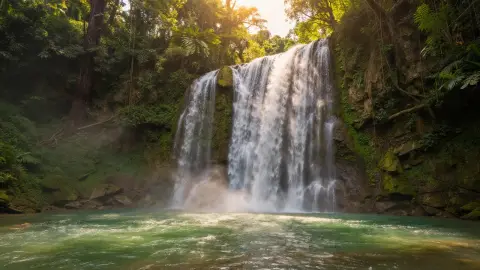
A waterfall in a jungle, epic landscape photography, golden hour
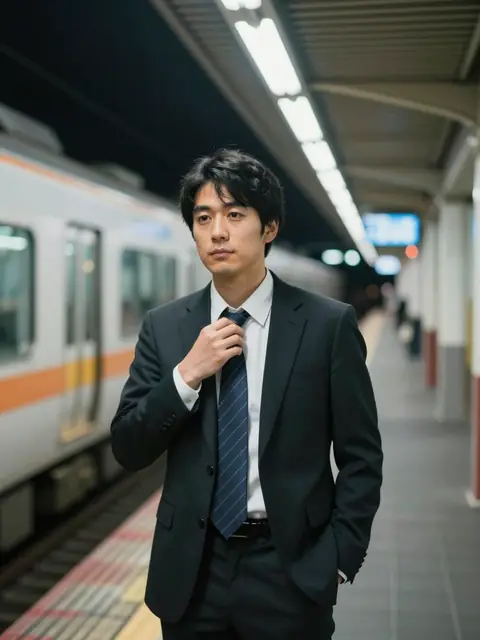
Japanese salaryman in his thirties loosening his tie on a quiet Osaka train platform at night, soft fluorescent light, reflective expression, cinematic 50mm portrait

A cute chibi astronaut, cute 3D render, soft studio lighting, pastel background
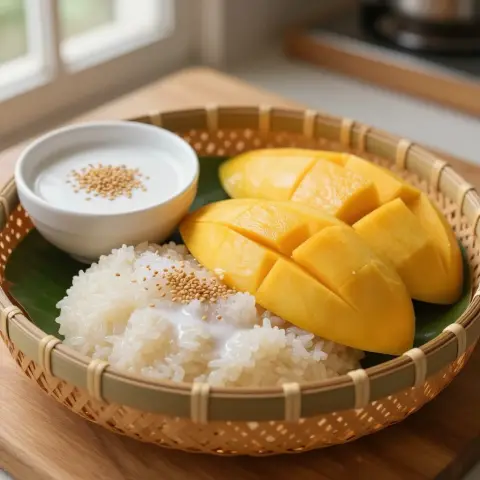
Thai mango sticky rice, professional food photography, appetizing
Settings of this model
- מתאריך
- Pickshot Select
- סוג
- AI image model
- איך ליצור
- טקסט לתמונה
- מחיר
- בחינם
שאלות
Can Saffron put Korean or Japanese text in a picture?
We have not verified it. Its maker only states English and Chinese lettering, so check any other writing in the result before you use it.
Can Saffron edit a photo I upload?
No. It makes new pictures from words. Use an editing model such as Umber to change a photo.
More prompting guides
- How to write prompts for GPT Image 2.6 FlareAI image model
- How to write prompts for GPT Image 2.6 SunburstAI image model
- How to write prompts for Nano Banana 2.1AI image model
- How to write prompts for MOSS ImageAI image model
- How to write prompts for Grok Imagine ProAI image model
- How to write prompts for Nano Banana ProAI image model
- How to write prompts for Nano Banana 2AI image model
- How to write prompts for GPT Image 2.5 FlareAI image model
- How to write prompts for IndigoAI image model
- How to write prompts for CeladonAI image model
- How to write prompts for LapisAI image model
- How to write edit requests for Umberעורך תמונות AI
- How to write prompts for Kling Video 4.0AI video model
- How to write prompts for Seedance 2.5AI video model
- How to write prompts for Seedance 2.0 MiniAI video model
- How to write prompts for Kling V3AI video model
- How to write prompts for Kling O3 OmniAI video model
- How to write prompts for Veo 3.1AI video model
- How to write prompts for Veo 3.1 FastAI video model
- How to write prompts for SilkAI video model
- How to write prompts for LacquerAI video model
- How to write prompts for SatinAI video model
Pickshot Select models are chosen and offered by Pickshot. Provider notices are on the licenses page.
השמות של מודלים, חברות ומוצרים באתר זה הם סימני מסחר של בעליהם; Pickshot אינה קשורה אליהם, אינה ממומנת על ידם ואינה מאושרת על ידם.