Free to start · Same face, new outfit
AI Clothes Changer: Try On Hanbok, Kimono and Qipao
Upload one photo and Pickshot changes only the clothes, keeping your face, pose and background as they are. Try traditional outfits like hanbok, kimono, qipao, hanfu and school uniforms, or describe any look you want.
No installation. No credit card. Private by default.
What is an AI clothes changer?
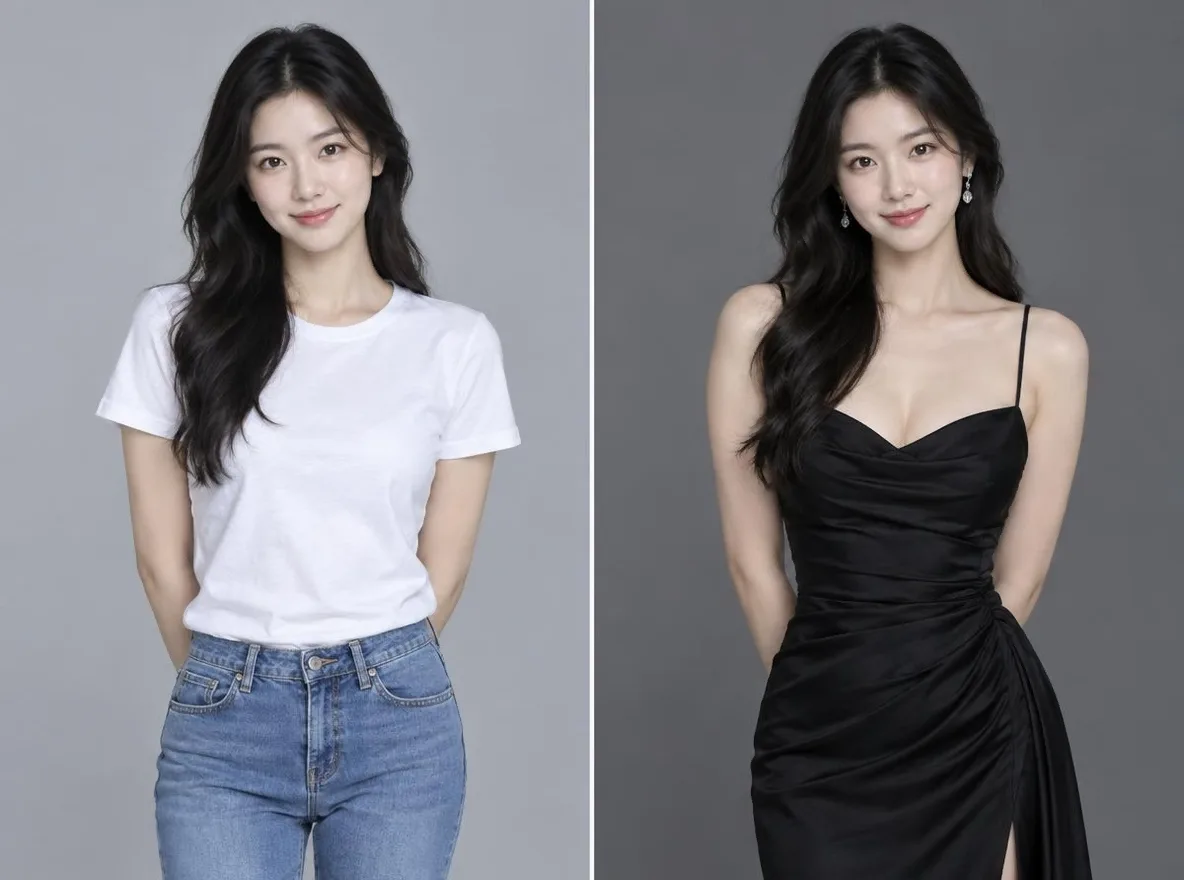
An AI clothes changer is an image editing tool that redraws only the clothing in a portrait so the person appears in a different outfit. In Pickshot, you upload one photo and pick an outfit, and the result keeps the face, hairstyle, pose and background while changing the clothes. The traditional outfits app supports hanbok, kimono, qipao, hanfu and school uniforms and costs 2 credits per run.
Why use Pickshot to change clothes
Your face stays the same
Each edit is instructed to keep the face, hairstyle, pose and background, so only the outfit changes. Fit and lighting are matched to the original photo.
Asian traditional outfits
Pick hanbok, kimono, qipao, hanfu or a school uniform in one tap. Outfits that Western-focused tools often render poorly are ready to try.
Outfit Swap in your own words
Describe the outfit you want in English, Korean, Japanese or Chinese. Prompts in ko, ja and zh are translated to English for the model automatically.
Editorial looks without a photo
The heritage fashion style preset creates hanbok, kimono or hanfu editorial images from text alone, using free models.
New outfits for your characters
Register 1 to 3 reference images of an original character, then generate new scenes with the same face and hair in different outfits.
Safety checks before generation
Uploaded photos are checked by a vision model, and sexual or harmful requests are blocked before generation. Impersonating real people is prohibited.
How to change clothes with AI
Upload a photo
Sign in, open the traditional outfits app and upload one photo where the face and upper body are clear. Use only photos of yourself or of people who have given consent.
Choose an outfit
Pick hanbok, kimono, qipao, hanfu or a school uniform, or describe the outfit you want in Outfit Swap.
Save and share
Download the result for your profile or posts. Your creations are private by default and appear in the Explore feed only if you choose to share them.
Mainstream AI tools vs Pickshot
Here is how Pickshot compares with typical general-purpose image tools for changing outfits.
Mainstream tools
- − Built around English prompts, so describing a specific outfit in another language is hard
- − Results lean toward Western clothing, with weak rendering of hanbok, qipao or hanfu
- − Changing the outfit can also change the face or background
- − Priced in US dollars, often with adult content options mixed in
Pickshot
- ✓ Describe outfits in Korean, Japanese, Chinese or English
- ✓ A traditional outfits app for hanbok, kimono, qipao, hanfu and uniforms
- ✓ Keeps face, hair, pose and background and changes only the clothes
- ✓ Local-currency pricing and a safety filter before generation
Ways to use it
/01
Instagram profiles and posts
Create a version of yourself in hanbok or kimono for an Instagram profile or feed post. Label it as AI-generated according to the platform's rules.
/02
Preview outfits before a trip
Before a hanbok rental in Seoul or a kimono rental in Kyoto, see which colors and styles suit you, and use the images in a travel blog.
/03
Concept images for clothing shops
Fashion sellers can explore styling directions before a photo shoot. Mark the images as AI so they are not mistaken for real product photos.
/04
Holiday and event visuals
Make a festive profile picture for Lunar New Year or draft visuals for a club or cultural event.
Pay for what you use, in your currency
8 images/day without an account; 100/day plus 50 credits with a free account
1,500 credits every month
5,000 credits every month
Preview period: generation opens soon, and every screen and option is available to explore now.
Questions
Is the AI clothes changer free?
The traditional outfits app requires sign-in and costs 2 credits per run. Free accounts get 50 credits on sign-up plus 10 credits daily, so you can try it right away.
Will my face change?
The app is designed to keep the face, hairstyle, pose and background and change only the outfit. Because results are AI-generated, small details may differ from the original.
Which outfits can I try?
The traditional outfits app offers hanbok, kimono, qipao, hanfu and school uniforms. With Outfit Swap you can describe other outfits in your own words.
Can I use someone else's photo?
Only use photos of yourself or of people who have given consent. Impersonating real people is prohibited, and uploaded photos are checked by a vision model.
Can I use the images in my shop or on social media?
You own the images you create, and the model licenses still apply. Label them as AI-generated according to each platform's rules.
Is there a paid plan or video?
Plus is $7.99 per month; paid checkout is not open yet, and joining the waitlist gets you 50% off the first month. Pickshot is image-only and does not generate video yet.
Try on a new outfit today
Sign up to get 50 credits plus 10 credits daily and use the traditional outfits app right away. Pickshot is currently in preview and generates images only.
Start creating for free