Describe the dance, or copy a movement
AI Dance Video Generator for Your Characters
There are two ways to make a character dance on Pickshot. In the video studio you describe the dance in words, start from your character’s picture if you like, and a model films a short clip. In Motion Control you pick a reference clip, such as the dance in the motion library, add your character, and the character repeats that movement. Describing is quicker, and the free Lacquer model can do it. Copying a movement is the one to use when the steps have to match a clip you chose.
Brak instalacji. Brak karty kredytowej. Domyślnie prywatny.
AI dance video at a glance
- Describe a dance
- In the video studio, write the dance, the place and the camera. Lacquer is the free model: Lacquer videos are free on the website: 3 a day, up to 5 seconds per clip. Other models show their credits before you run.
- Copy a movement
- Motion Control makes your character perform the movement of a reference clip of 3 to 30 seconds. It always uses credits, members included: about 212 credits a second at 720p, shown before you run. A free account can use reference clips of up to 5 seconds.
- Motion library
- Original Pickshot clips of fictional adult characters to start from: dance, walk, turn, stretch and holding an object. You can also add your own clip.
- Twoja postać
- One of your saved characters, a saved AI influencer, an original sample or a clear character picture. Match the framing: a full-body dance needs a full-body picture.
- Dźwięk
- Motion Control asks the model to keep the reference clip’s own sound and adds no new music or voice. A clip you describe in the video studio gets its sound from Lacquer, Satin or MiniMax H3 while Generate sound is on.
- Account
- A free account is needed to make anything; signing up asks for no card.
- Języki
- Pages, studio and prompts in English, Korean, Japanese and Simplified Chinese
- Watermark
- No visible watermark; each file carries metadata that marks it as AI-generated.
Zaktualizowano
What is an AI dance video generator?
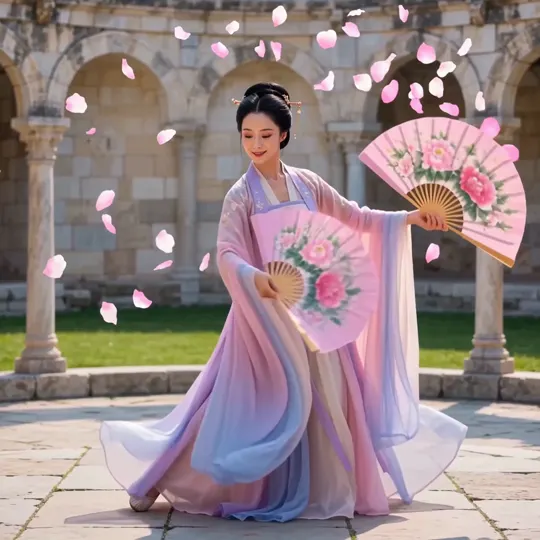
An AI dance video generator makes a short clip of a figure dancing without a dancer or a camera. Pickshot does it in two ways. When you describe the dance, the video model invents the choreography from your words, so you steer the mood, the setting and the camera but not each step. When you copy a movement, Motion Control reads the body movement of a reference clip and applies it to your character, so the steps and the timing come from the clip. Neither way promises exact hands, feet or faces: watch the whole result before you post it.
Real dance clips and a real transfer
The first two clips were made from a written description in the video studio. Below them are a movement from the motion library (an original Pickshot film of a fictional adult character) and one actual Motion Control run, a simple portrait movement and not a dance, shown with the reference it copied.
Why make dance clips on Pickshot
Two routes, one character
Describe the dance for a quick idea, or copy a clip’s movement when the choreography matters. Both can start from the same character picture, so the dancer is the one you have been posting with.
A library to start from
The motion library has original clips of a dance, a walk, a turn, a stretch and holding an object, each made by Pickshot, so you do not have to hunt for a reference you may not be allowed to use.
Length you choose
Free-plan clips run up to 5 seconds. A membership has no length limit of its own beyond what the model makes: Lacquer and Satin up to 10 seconds, partner models up to 30, and Motion Control references of 3 to 30 seconds.
The price comes first
Lacquer costs no credits within its free allowance. Motion Control and the other partner models show their credits on the button, and the price you see is the price of that run.
How to make a character dance
Pick a route
For a quick idea, open the video studio, choose Lacquer and describe the dance, the place and the camera, for example a full-body shot of a dancer in a studio with a steady camera. To copy a movement, open Motion Control.
Add your character
In the video studio, attach your character’s picture as the first frame. In Motion Control, choose a library movement or add your own clip of 3 to 30 seconds, then choose the character. Use a full-body picture for a full-body dance.
Check the price and run
Read the credits on the button, then run. Lacquer’s free allowance covers the quick route; Motion Control always shows its credits first.
Review and refine
Watch the whole clip and check the hands, feet and face. Download it, or run it again with one change, such as a different camera or a closer picture.
Where dance clips help
/01
Character intros and short clips
Give a fictional AI influencer a short dance for a profile intro or a post.
/02
Mascots and channel trailers
Let a mascot or an original character move for a stream, a channel or a game trailer.
/03
Music and lyric videos
Pair a dance clip with a track made in the song maker, and join them in any video editor.
Kupuj kredyty, kiedy ich potrzebujesz; członkostwo opiera się na kredytach
Nowe konta otrzymują 50 kredytów. Darmowe konta mogą generować obrazy bez limitu na stronie internetowej przy użyciu 5 podstawowych modeli, bez zużywania kredytów. Filmy Lacquer są bezpłatne na stronie: 3 dziennie, do 5 sekund na klip. Członkowie korzystają z objętych modeli bez limitu i bez pobierania kredytów. Inne modele i API/MCP są rozliczane osobno.
Pickshot-series models without credits · 4 generations at a time · Unlimited free-model images (Higher priority than Free)
Pickshot-series models without credits · 8 generations at a time · Unlimited free-model images (Higher priority than Plus)
Booster Passy i członkostwa są chwilowo wyprzedane. Posiadane już kredyty i członkostwa działają do końca swojego okresu.
Pytania
Can I make a photo of myself dance?
Motion Control is built for characters: your saved characters, AI influencers, original samples and clear character pictures. Upload only pictures and clips you have the right to use, with the permission of every person in them. Composites that impersonate or defame real people are not allowed (see the Terms).
Is it free?
Describing a dance and making it with Lacquer is free within its allowance: Lacquer videos are free on the website: 3 a day, up to 5 seconds per clip. Motion Control always uses credits, members included, and its price is shown before you run.
How long can the clip be?
A free account makes clips up to 5 seconds. With a membership a clip can be as long as its model makes: Lacquer and Satin 10 seconds, partner models up to 30. A Motion Control reference is 3 to 30 seconds.
Will the dance match my reference exactly?
The movement and the timing follow the reference, but it is a model’s reading of it. Hands, feet, props and fast spins can go wrong, and the framing of your character picture should match the reference. Check every result.
Can I use any dance video as a reference?
Only clips you have the right to use. The motion library offers original Pickshot clips; other people’s choreography and footage may be protected.
Does it add music?
Motion Control asks the model to keep the reference clip’s own sound and adds no new music. To add a track, make one in the song maker and combine them in any video editor.
Make your character move
Pick a route, check the credits and watch the first clip. Start with an original character, and keep faces and outfits under your own review.
Zacznij tworzyć za darmo