Plan the scenes before you shoot
AI Storyboard Generator: Scenes, Lines and Clips
A storyboard is a row of scenes with a line for each. On Pickshot you choose 9:16 or 16:9, write what happens in each scene and give it a picture: draw it with an image model or add one of your own. The board is saved to your account, exports as one numbered PNG sheet and can be posted. When a story has clips, a second view puts them in order and joins up to 8 of them into one video of up to 120 seconds, in your browser.
ഇൻസ്റ്റലേഷൻ വേണ്ട. ക്രെഡിറ്റ് കാർഡ് വേണ്ട. സ്വതവേ സ്വകാര്യം.
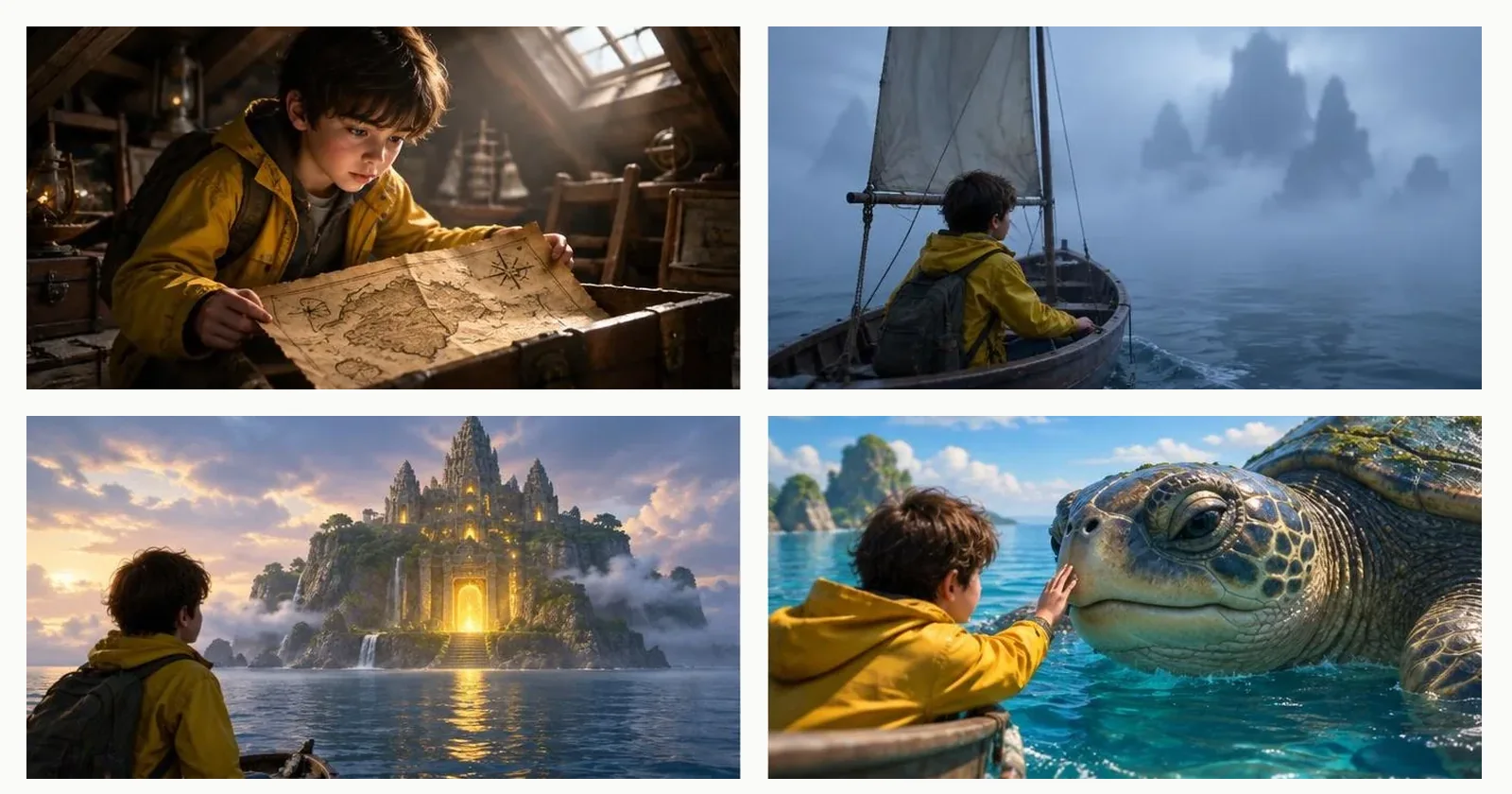
AI storyboard generator at a glance
- ആകൃതി
- 9:16 for vertical video and 16:9 for widescreen. Each scene has one line of text and one picture, and a board can hold up to 40 scenes.
- ചിത്രങ്ങൾ
- Draw a scene with an image model from its line (the five basic image models cost no credits; other models show their price first), or add a picture of your own, up to 10 MB.
- എക്സ്പോർട്ട് ചെയ്യുക
- Export makes one PNG contact sheet: the pictures in a grid with a number and the scene line under each, ready to print or send. It is made in your browser.
- പങ്കിടുക
- Post puts the title, the numbered lines and the first four pictures into one post on Posts.
- Clips
- In the Clips view the story’s clips go in scene order, move up or down and join into one video of up to 8 clips and 120 seconds. Joining happens in your browser, in a browser that supports it, and nothing is uploaded.
- നിരക്ക്
- Saving a board, exporting the sheet and joining clips cost no credits. Pictures and clips cost what their model costs, shown before you run.
- Account
- A free account is needed to make anything; signing up asks for no card.
- ഭാഷകൾ
- Pages, studio and prompts in English, Korean, Japanese and Simplified Chinese
- Watermark
- No visible watermark; each file carries metadata that marks it as AI-generated.
പുതുക്കി
What is an AI storyboard generator?
A storyboard generator helps you plan a video, a comic episode or a carousel as a sequence of frames before you make every frame. Pickshot’s storyboard keeps the order, the line and the picture of every scene in one place, and its pictures can be drawn from the lines. It is a planning sheet, not an editor for finished films, and it does not letter speech balloons. Use it to agree the beats, show the sheet to a client or a friend, then make the clips from it.
A storyboard of four scenes
Four scenes of a sample story, “The explorer in the yellow jacket”, one picture each: the kind of sheet a finished storyboard gives you. Story Studio shows this sample story too. Your own scenes are drawn from your own lines or filled with your own pictures.

Scene 1: A boy in a yellow jacket unfolds an old map in an attic
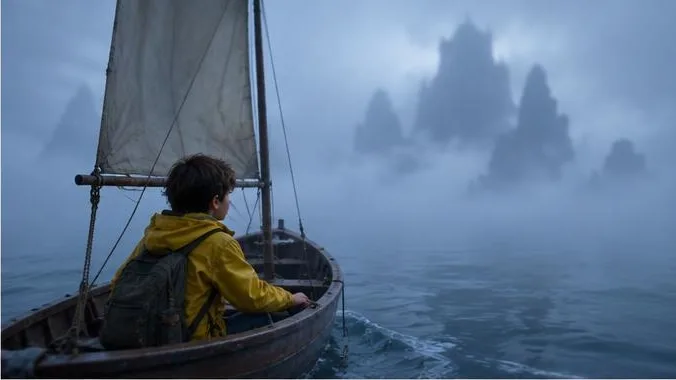
Scene 2: He rows a small boat into the fog toward distant rocky peaks
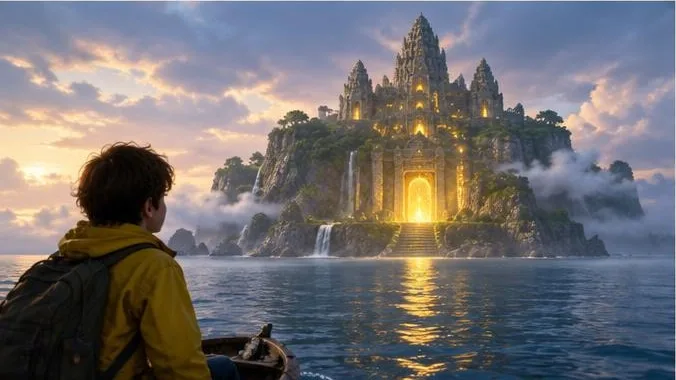
Scene 3: A temple glowing gold on an island at sunset

Scene 4: He touches the nose of a giant sea turtle from the boat
Why plan on a storyboard
Every scene has a line and a picture
You see the whole sequence at once, rethink the order, and fix one scene without touching the rest.
Draw it or bring your own
Mix pictures drawn from the lines with photos, sketches or earlier work that you have the right to use.
A sheet you can send
Export a numbered PNG sheet to print, share in a chat or attach to a brief. Post shares the first four scenes as a post.
From a plan to one video
Make clips from a story in Story Studio, then arrange and join them in the Clips view. The price of each clip and the total are shown before they start.
How to make a storyboard
Choose the shape and add scenes
Pick 9:16 or 16:9, give the board a title and add scenes. A story you saved in Story Studio opens here as a board. Write what happens in each scene.
Give each scene a picture
Use the draw button to make a picture from the scene’s line, or the picture button to add your own.
Save and export
Save the board to your account. Export the numbered sheet as a PNG, or post the title, the lines and the first four pictures.
Join the clips
Switch to Clips, put the clips in order and join up to 8 of them, 120 seconds in all, into one video.
Where it helps
/01
Short videos and ads
Agree the beats of a 15-second ad or a vertical video with a client before you spend credits on clips.
/02
Comic and episode outlines
Lay an episode out as scenes to see its pacing. The storyboard plans the sequence; it does not draw panels.
/03
Classroom and team briefs
Explain a process or a project as a numbered sequence of pictures and lines.
ആവശ്യാനുസരണം ക്രെഡിറ്റുകൾ വാങ്ങൂ; അംഗത്വങ്ങൾക്ക് ക്രെഡിറ്റുകൾ ഉപയോഗിക്കാം
പുതിയ അക്കൗണ്ടുകൾക്ക് 50 ക്രെഡിറ്റുകൾ ലഭിക്കും. സൗജന്യ അക്കൗണ്ടുകൾക്കും വെബ്സൈറ്റിൽ 5 അടിസ്ഥാന ഇമേജ് മോഡലുകൾ ഉപയോഗിച്ച് ക്രെഡിറ്റുകൾ ചെലവാക്കാതെ പരിധിയില്ലാതെ ചിത്രങ്ങൾ സൃഷ്ടിക്കാം. വെബ്സൈറ്റിൽ Lacquer വീഡിയോകൾ ദിവസം 3 വരെ സൗജന്യമായി സൃഷ്ടിക്കാം; ഓരോ ക്ലിപ്പും പരമാവധി 5 സെക്കൻഡ്. അംഗങ്ങൾക്ക് ഉൾപ്പെടുത്തിയ മോഡലുകൾ ക്രെഡിറ്റ് കുറയാതെ പരിധിയില്ലാതെ ഉപയോഗിക്കാം. മറ്റ് മോഡലുകൾക്കും API/MCPക്കും പ്രത്യേകം നിരക്ക് ബാധകമാണ്.
Pickshot-series models without credits · 4 generations at a time · Unlimited free-model images (Higher priority than Free)
Pickshot-series models without credits · 8 generations at a time · Unlimited free-model images (Higher priority than Plus)
Booster Pass-കളും അംഗത്വങ്ങളും താൽക്കാലികമായി ലഭ്യമല്ല. നിങ്ങൾക്ക് ഇതിനകമുള്ള ക്രെഡിറ്റുകളും അംഗത്വങ്ങളും കാലാവധി തീരുംവരെ പ്രവർത്തിക്കും.
ചോദ്യങ്ങൾ
Is a storyboard the same as a story?
They share the same saved boards. A story planned in Story Studio opens in the Storyboard, and a board built here can be given clips from Story Studio. Story Studio writes and draws the scenes from an idea; the Storyboard is where you arrange and share them.
How many scenes can a storyboard have?
Up to 40 scenes in a board, and you can keep up to 50 boards. A clip join takes up to 8 clips and 120 seconds, so a longer story is joined in parts.
Can I use my own pictures?
Yes, up to 10 MB each. Only add pictures you made or have the right to use, and do not add pictures of other people without their agreement. Uploaded pictures are checked like other pictures on Pickshot.
Does joining clips upload my videos?
No. The join is made in your browser, in a browser that supports it, and you download the result to your device. It takes up to 8 clips and 120 seconds in all.
What does it cost?
Saving boards, exporting the sheet and joining clips cost no credits. A picture from the five basic image models costs none on a free account; other models and every clip show their price before they run. Lacquer videos are free on the website: 3 a day, up to 5 seconds per clip.
Can I post a storyboard?
Post shares the title, the numbered scene lines and the first four pictures as one post. Review it first: public posts follow the community rules, and pictures of other people or of copyrighted characters do not belong there.
Plan the scenes, then make the clips
Draw or add a picture for every scene, export the sheet and join the clips.
സൗജന്യമായി സൃഷ്ടിക്കാൻ തുടങ്ങുക