16:9 covers with a few big words
AI Thumbnail Generator: Cover Images with Big Text
A good thumbnail is one clear picture and two or three big words. Describe the scene, put the words in quotation marks, choose 16:9 and make up to four versions. Look at each one at a small size, because that is how people will see it. If a word is wrong or the title changes, ask the image editor to rewrite it and the scene stays.
Ingen installation. Inget betalkort. Privat som standard.
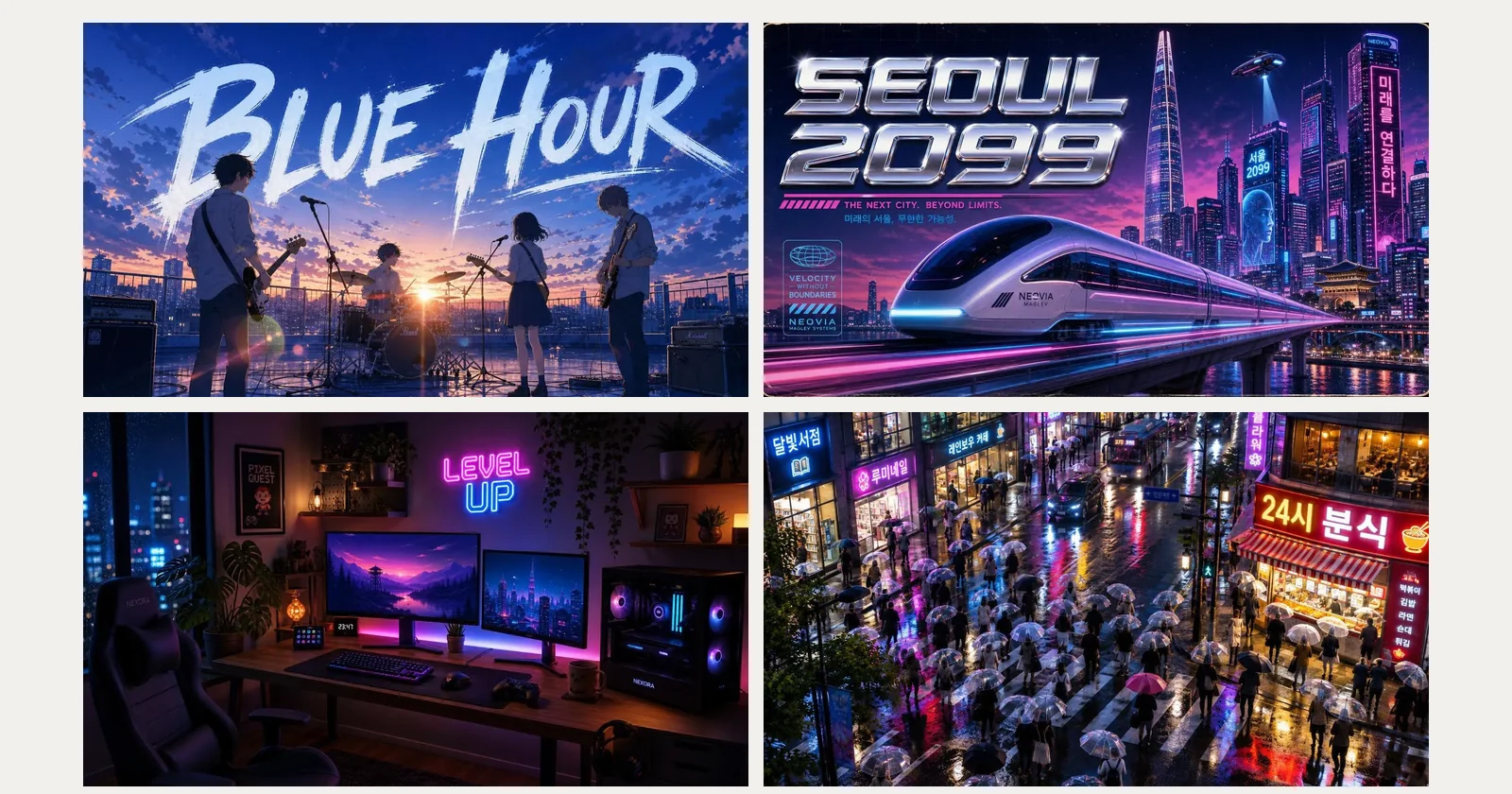
AI thumbnail generator at a glance
- Form
- 16:9 for video and blog covers (1360×768 in the samples below), 9:16 for vertical covers, 1:1 and 4:5 for feed posts. Up to four pictures per run.
- Words
- Two or three words work best, like BLUE HOUR and SEOUL 2099 below. Our samples were drawn by GPT Image 2 and GPT Image 2.5 Flare. A long title is likely to lose a letter, so keep it short and read it.
- What it does not do
- Pickshot draws the whole picture, words included. It has no template library and no separate text layer, and it does not paste a cut-out onto a layout. If you need layers, finish the cover in your own editor.
- Changing the title
- The image editor can rewrite the words on a finished picture. In our samples a street-stall menu board was rewritten to read “떡볶이 3,500원” and “오늘만 할인!”, and a café chalkboard went from one drink to another.
- Pris
- A 16:9 picture with GPT Image 2 or GPT Image 2.5 Flare costs 90 credits at 1K, shown on the button before you run. A cover with no words can come from any model, including the five basic image models, which use no credits on a free account.
- Account
- A free account is needed to make anything; signing up asks for no card.
- Språk
- Pages, studio and prompts in English, Korean, Japanese and Simplified Chinese
- Watermark
- No visible watermark; each file carries metadata that marks it as AI-generated.
Uppdaterat
What is an AI thumbnail generator?
An AI thumbnail generator makes the cover picture for a video, a blog post or a stream from a written description: the scene, the colours and the few words on it, drawn together. It does not pull frames out of your video or arrange layers on a template. You describe the cover, the model draws it, and you choose among the versions it returns. It suits a first cover idea or a series with one look, and it is less suited to a thumbnail that must carry one specific person’s face exactly, which Pickshot does not promise to keep.
Thumbnails made on Pickshot
Five 16:9 pictures with words drawn into them, each from one written description. The prompt is under every picture in English. The last pairs show a picture whose words were rewritten.
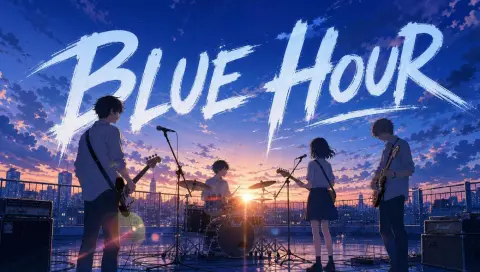
Anime style key visual of a rooftop band practising at dusk, the series logo text "BLUE HOUR" painted in large brush letters across the sky, lens flare
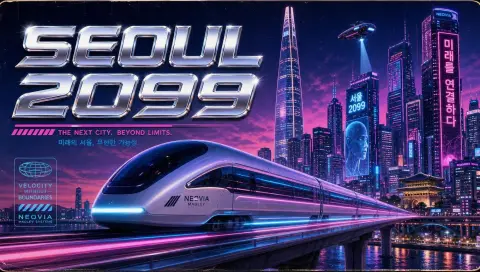
Retro-futuristic poster of a maglev train speeding past neon skyscrapers in Seoul, the slogan "SEOUL 2099" in chrome letters
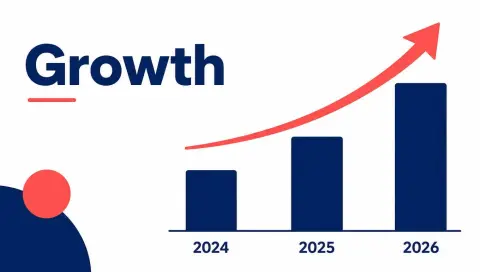
Clean presentation slide illustration for a startup pitch: a rising bar chart with three bars labelled "2024", "2025" and "2026", the headline "Growth" in bold sans serif, white background, navy and coral accents
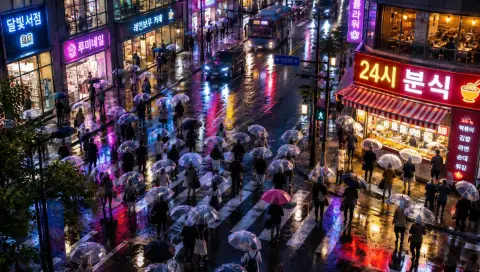
Rainy Seoul crosswalk at night seen from above, a sea of transparent umbrellas, glowing shop signs, one large sign that reads "24시 분식", neon reflections on wet asphalt
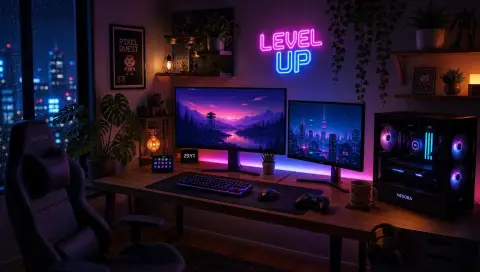
Cozy gaming room at night with soft RGB light, two monitors on a wide desk, plants and a small neon sign on the wall that reads "LEVEL UP"
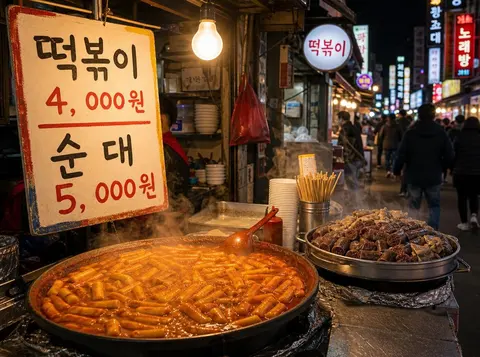 Före
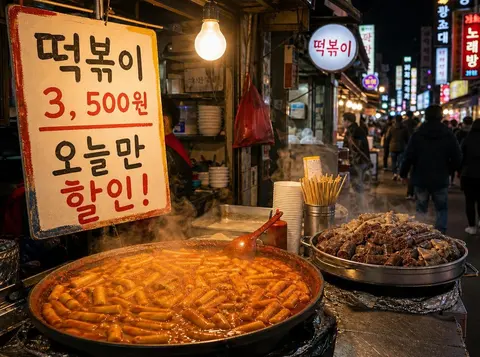 Efter
 Före
 Efter
Why make thumbnails on Pickshot
Words and scene drawn together
In the samples the words take on the picture’s style, such as brush letters across a dusk sky or chrome on a neon street, instead of sitting on top of it.
Four versions from one sentence
Run one description up to four times at once and keep the version whose words read best at a glance.
Rewrite a word, keep the scene
When the title changes, ask the image editor to rewrite it. The scene is meant to stay, though the model can still shift details, so compare before and after.
A series that matches
Keep the description that works and change only the words in quotation marks to make covers with one look.
How to make a thumbnail
Describe the cover
Write the scene and the mood, for example a neon street at night with a train passing and a glowing sign.
Add two or three words
Put the title in quotation marks and say how it looks, for example “SEOUL 2099” in large chrome letters at the top.
Choose 16:9 and make four
Pick 16:9, a model that draws lettering and up to four pictures. Shrink the results to about thumbnail size and keep the one you can still read.
Reword or enlarge
Use the image editor to rewrite a word, or enlarge the favourite 2× or 4× if a site asks for a larger file.
Where it helps
/01
Video and stream covers
A cover for a series that keeps one look and changes the title each time.
/02
Blog and newsletter headers
A wide header with the post title drawn in, or a clean cover with no words.
/03
Slide and report covers
A slide-style cover with a headline and a simple chart shape, like the Growth sample.
Köp krediter vid behov; medlemskap betalas med krediter
Nya konton får 50 krediter. Gratiskonton kan skapa obegränsat många bilder på webbplatsen med de 5 grundmodellerna utan att förbruka krediter. Lacquer-videor är gratis på webbplatsen: 3 om dagen, upp till 5 sekunder per klipp. Medlemmar använder inkluderade modeller obegränsat utan kreditavdrag. Andra modeller och API/MCP debiteras separat.
Pickshot-series models without credits · 4 generations at a time · Unlimited free-model images (Higher priority than Free)
Pickshot-series models without credits · 8 generations at a time · Unlimited free-model images (Higher priority than Plus)
Booster Passes och medlemskap är tillfälligt slutsålda. Krediter och medlemskap du redan har fortsätter att gälla tills de löper ut.
Frågor
Can I put my own face on the thumbnail?
Pickshot draws the picture from a description, so it does not cut your face out and place it on a template. A reference photo of yourself can be attached in the prompt bar, but a face is not guaranteed to match exactly, so check every result.
What text works best on a thumbnail?
Two or three words in large letters with strong contrast. Long titles and small print lose letters more often. Always read the result at the size people will see it.
What size and shape should it be?
16:9 is the usual video and blog cover shape, and our samples are 1360×768. Pick 9:16 for a vertical cover and 1:1 or 4:5 for a feed post. If a site asks for an exact pixel size, resize or crop the result in your own editor.
How do I fix a wrong word?
Open the picture in the image editor, choose a model that edits pictures, and name the line and its new wording. In our samples a menu board and a chalkboard were rewritten that way. Check the other details afterwards.
Is it free?
Pictures from the five basic image models cost no credits on a free account, but models differ at lettering and our samples came from GPT Image 2 and 2.5 Flare, which cost credits (shown before you run). A cover with no words works with any model.
Can I use the thumbnails commercially?
You own the pictures you make and each model’s licence still applies. Do not copy another person’s likeness, logo or artwork, and label AI-generated images where a site asks for it.
Make a thumbnail you can read at a glance
Describe the scene, add two or three words and compare four versions.
Börja skapa gratis