AI Photo Fixer: Refine Hands, Eyes and Details
Pickshot's Refine app takes one image and a sentence about what to improve (up to 400 characters) and works on that part. Write "fix the fingers" or "sharpen the eyes", and it keeps the framing, colours, background and the person's face while it reworks what you asked for. Use it to fix awkward details in AI-generated pictures or small flaws in a photo.
ಹೊಸ ಖಾತೆಗಳಿಗೆ 50 ಕ್ರೆಡಿಟ್ಗಳು ಸಿಗುತ್ತವೆ. ಉಚಿತ ಖಾತೆಗಳೂ ವೆಬ್ಸೈಟ್ನಲ್ಲಿ 5 ಮೂಲ ಚಿತ್ರ ಮಾದರಿಗಳೊಂದಿಗೆ ಕ್ರೆಡಿಟ್ಗಳನ್ನು ಖರ್ಚು ಮಾಡದೆ ಮಿತಿಯಿಲ್ಲದೆ ಚಿತ್ರಗಳನ್ನು ರಚಿಸಬಹುದು. ವೆಬ್ಸೈಟ್ನಲ್ಲಿ Lacquer ವೀಡಿಯೊಗಳು ದಿನಕ್ಕೆ 3ರವರೆಗೆ ಉಚಿತ; ಪ್ರತಿ ಕ್ಲಿಪ್ ಗರಿಷ್ಠ 5 ಸೆಕೆಂಡುಗಳು. ಸದಸ್ಯರು ಒಳಗೊಂಡ ಮಾದರಿಗಳನ್ನು ಕ್ರೆಡಿಟ್ ಕಡಿತವಿಲ್ಲದೆ ಅನಿಯಮಿತವಾಗಿ ಬಳಸಬಹುದು. ಇತರ ಮಾದರಿಗಳು ಮತ್ತು API/MCPಗೆ ಪ್ರತ್ಯೇಕ ಶುಲ್ಕವಿದೆ.
ನವೀಕರಿಸಲಾಗಿದೆ
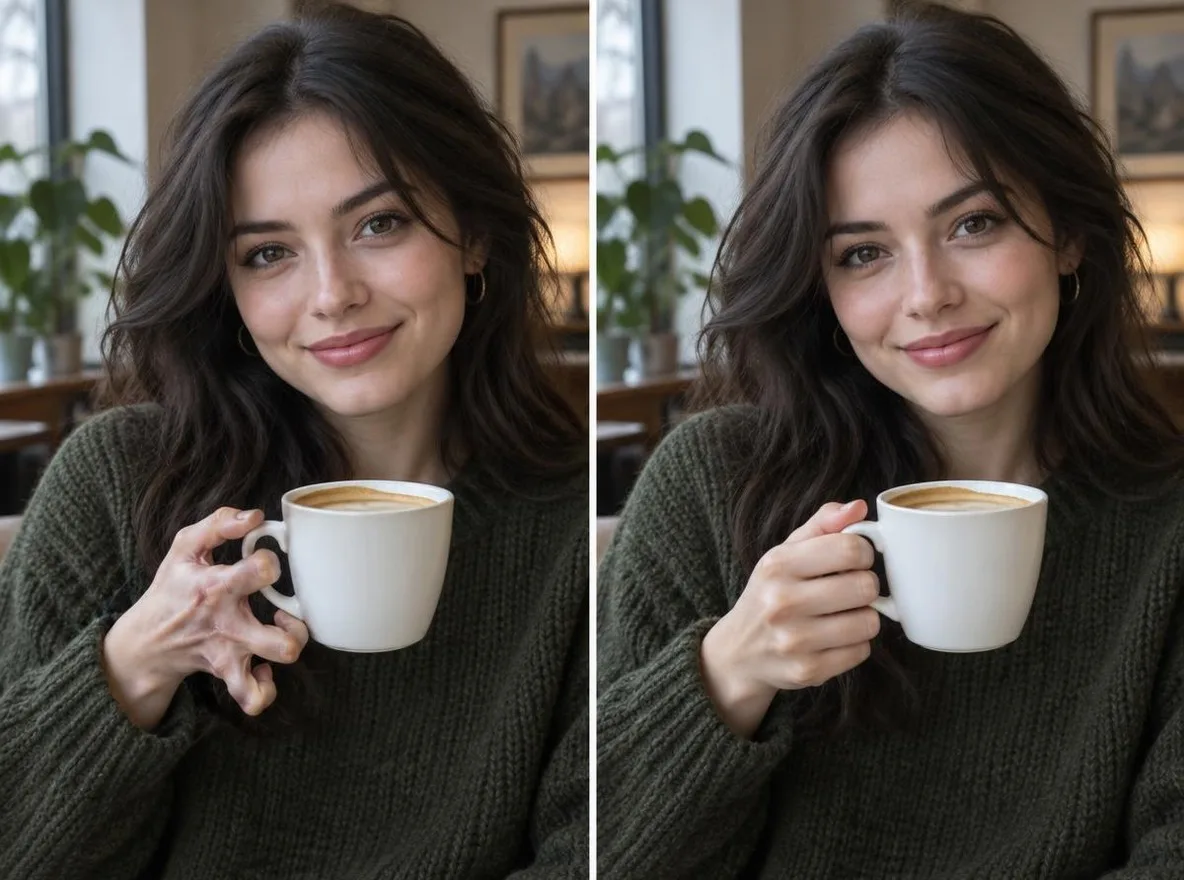
ಇದು ಕೆಲಸ ಮಾಡುವ ರೀತಿ
- Upload the image you want to refine.
- Under What to improve, say exactly what to fix, for example: fix the hand, sharpen the eyes.
- Press Refine, check the result, and reword the request to try again if needed.
ದೃಶ್ಯ ಸೂಚನೆಗಳ ಉದಾಹರಣೆಗಳು
ನಮ್ಮ ಲೈಬ್ರರಿಯ AI ಚಿತ್ರಗಳಿಂದ ಬಂದ ನಿಜ ಫಲಿತಾಂಶಗಳು. ನೈಜ ವ್ಯಕ್ತಿಯ ಫೋಟೊ ಬಳಸಿಲ್ಲ.
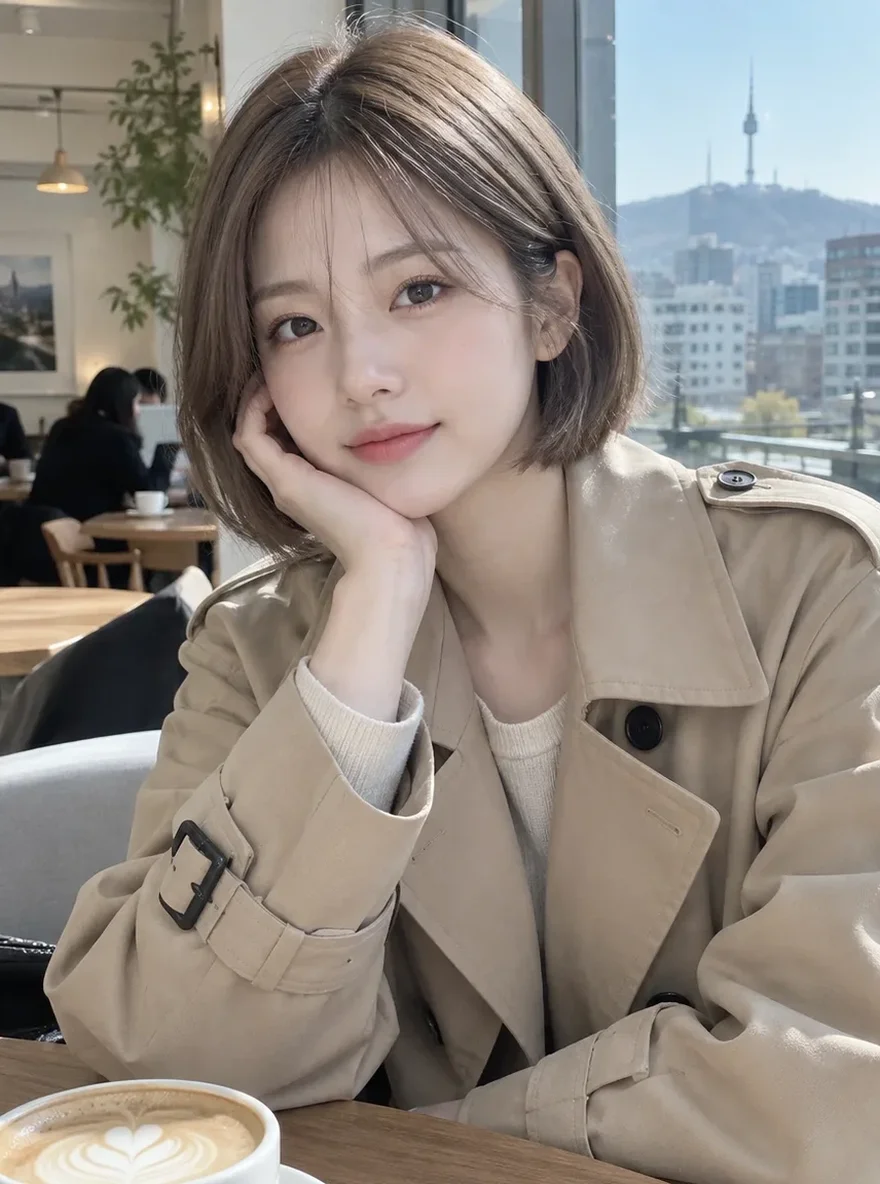 ಮೊದಲು
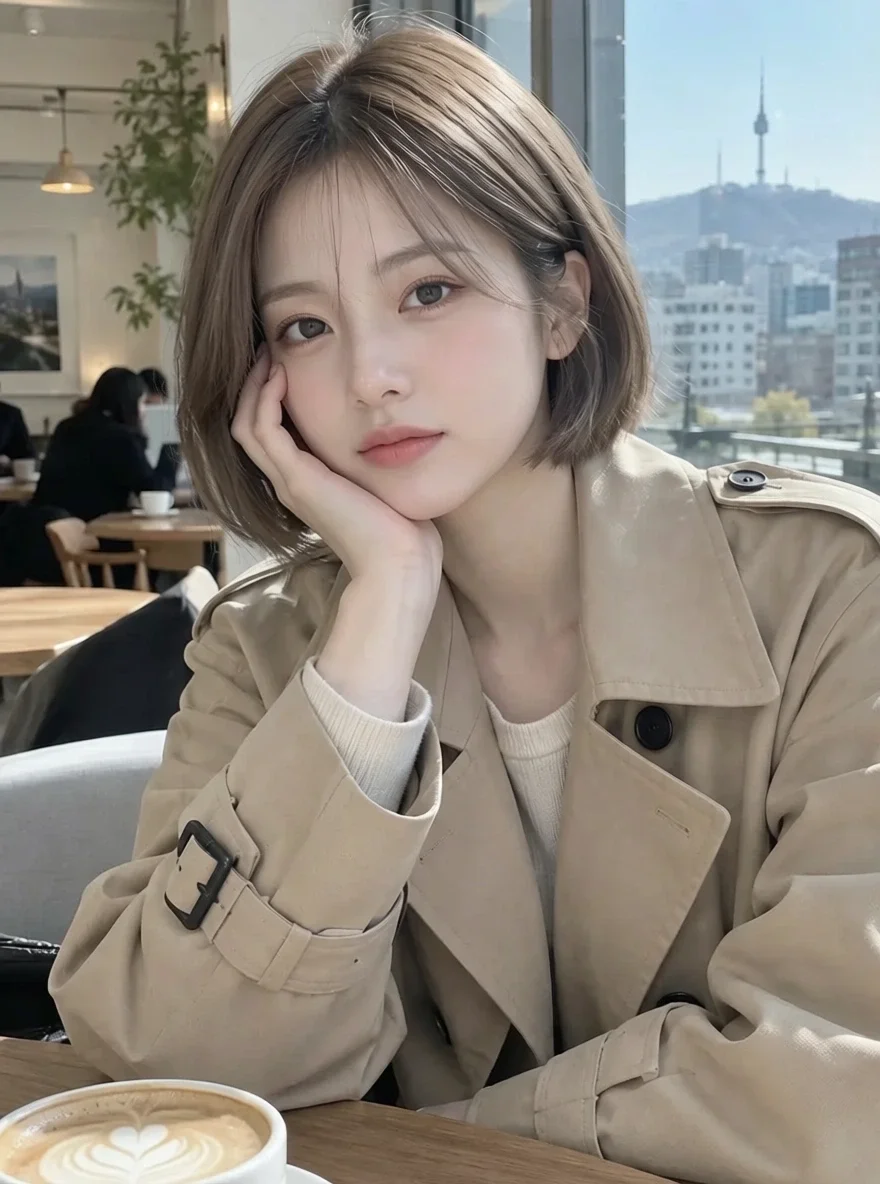 ನಂತರ
ಇದಕ್ಕೆ ಸೂಕ್ತ
- Fixing awkward hands and eyes in AI art
- Cleaning up small details in character illustrations
- Taming flyaway hair or creased clothing in a photo
ಉತ್ತಮ ಫಲಿತಾಂಶಕ್ಕೆ ಸಲಹೆಗಳು
- Ask for one or two things at a time for the most precise change.
- Say where, such as "left hand" or "right eye".
- If something must not change, say so too, for example: keep the background.
ಪ್ರಶ್ನೆಗಳು
How much does it cost?
Free models are unlimited with an account. Models marked “Free with membership” are unlimited without credits during membership. Otherwise, the displayed credit price applies. Developer API usage is billed separately.
What can I write?
Up to 400 characters. Write in English, Korean, Japanese or Chinese. Requests go through a safety check, and anything asking for sexual content or graphic violence is refused.
What happens to the photo I upload?
Only upload photos of yourself or photos you have the right to use. Impersonating real people or using results to deceive others is prohibited. Uploaded photos go through a safety check, you can delete your generated images at any time, and nothing appears in the public Explore feed unless you choose to share it.
ಇನ್ನಷ್ಟು ಆ್ಯಪ್ಗಳು

ಫೋಟೊದಿಂದ ಅನಿಮೆ
ಸೆಲ್ಫಿಯನ್ನು ಅನಿಮೆ, ವೆಬ್ಟೂನ್, ಜಲವರ್ಣ ಅಥವಾ 3D ಪ್ರತಿಮೆಯಾಗಿ ಮರುಚಿತ್ರಿಸಿ.

AI ಪ್ರೊಫೈಲ್ ಫೋಟೊ
ಸರಳ ಸೆಲ್ಫಿಯನ್ನು ಗುರುತಿನ ಫೋಟೊ, ಉದ್ಯೋಗ ಅರ್ಜಿಯ ಭಾವಚಿತ್ರ ಅಥವಾ ಸಾಮಾಜಿಕ ಅವತಾರವಾಗಿ ಮಾಡಿ.

ಸಾಂಪ್ರದಾಯಿಕ ಉಡುಪುಗಳು
ಹಾನ್ಬೊಕ್, ಕಿಮೊನೊ, ಚೀಪಾವೊ ಅಥವಾ ಹಾನ್ಫುನಲ್ಲಿ ನಿಮ್ಮನ್ನು ನೋಡಿ.

ಪ್ರವಾಸದ ಹಿನ್ನೆಲೆ
ನಿಮ್ಮನ್ನು ಉಳಿಸಿ ಹಿನ್ನೆಲೆಯನ್ನು ಕ್ಯೋಟೊ, ಸೋಲ್, ಶಾಂಘೈ ಅಥವಾ ಜೆಜುಗೆ ಬದಲಿಸಿ.