Restore and Colorize Old Photos with AI
The Old photo restore app removes scratches, tears and noise from scanned or re-photographed prints and sharpens faces. Bring back your parents' wedding photo or your grandparents' album pictures to share in the family group chat or print as a gift. Results are an AI reconstruction, not an exact copy of the original.
Akaun baharu menerima 50 kredit. Akaun percuma juga boleh menjana imej tanpa had di laman web dengan 5 model asas tanpa menggunakan kredit. Video Lacquer percuma di laman web: 3 sehari, sehingga 5 saat bagi setiap klip. Ahli menggunakan model yang disertakan tanpa had dan tanpa potongan kredit. Model lain dan API/MCP dicaj berasingan.
Dikemas kini
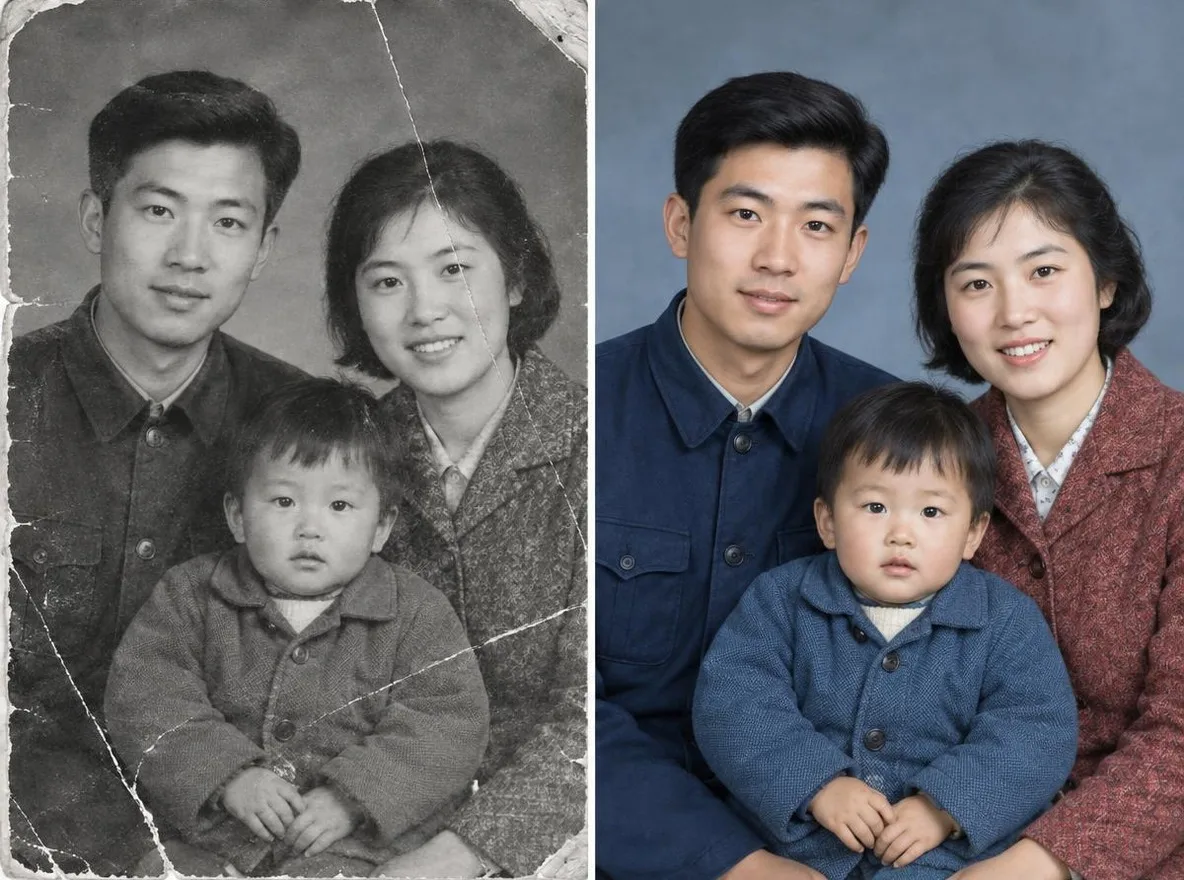
Cara ia berfungsi
- Scan the old photo or take a picture of it with your phone, then upload it.
- Choose Restore + colorize or Restore in black & white.
- Click transform, compare the result with your original, then download it.
Pilihan
Contoh prom
Hasil sebenar daripada gambar dijana AI dalam pustaka kami. Tiada foto orang sebenar digunakan.
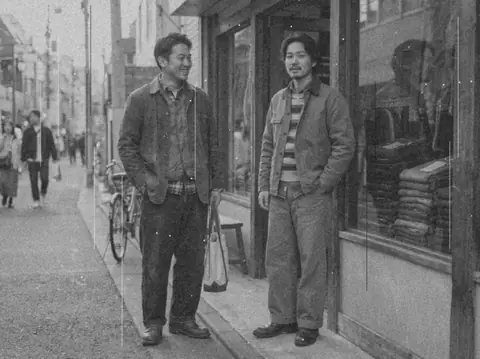 Sebelum
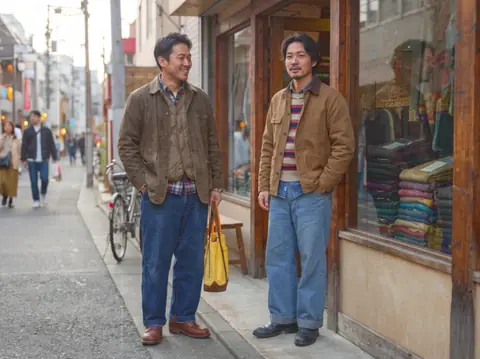 Selepas
Sesuai untuk
- Restoring parents' and grandparents' photos
- Slideshows and frames for family events
- Sharing in the family group chat
Petua untuk hasil lebih baik
- Use a scanner if you can; with a phone, lay the print flat and shoot straight on.
- Photograph it in bright, shadow-free light so there is no glare on the surface.
- Crop out frame edges and album pages so only the photo itself is uploaded.
Soalan
How much does it cost?
Free models are unlimited with an account. Models marked “Free with membership” are unlimited without credits during membership. Otherwise, the displayed credit price applies. Developer API usage is billed separately.
Is it safe to upload family photos?
Only upload photos of yourself or photos you have the right to use. Impersonating real people or using results to deceive others is prohibited. Uploaded photos go through a safety check, you can delete your generated images at any time, and nothing appears in the public Explore feed unless you choose to share it.
Will the restored photo match the original exactly?
No. The AI estimates damaged areas and colors and redraws them, so facial details and colors may differ from reality. Keep the original print, and note that it is an AI restoration if you keep it as a record.
Lagi aplikasi

Foto kepada anime
Lukis semula swafoto sebagai anime, webtoon, cat air atau figura 3D.

Foto profil AI
Tukar swafoto santai menjadi foto pengenalan, potret permohonan kerja atau avatar sosial.

Pakaian tradisional
Lihat diri anda memakai hanbok, kimono, qipao atau hanfu.

Latar pelancongan
Kekalkan diri anda, ganti latar belakang dengan Kyoto, Seoul, Shanghai atau Jeju.