Scene first, then motion
AI Product Video Generator: From One Photo to a Clip
To make a product video, start from one clear photo, put the product in a setting that suits the brand, and animate that picture. On Pickshot that is two steps. The Product scenes app redraws the setting (marble, water, a pastel studio, nature or a gift-season set) while it is told to keep the product’s shape and label, and image to video turns the finished picture into a short clip with a slow turn, a light sweep or a camera push-in. A free account can make the clip on Lacquer, up to 5 seconds; other models show their price first.
ഇൻസ്റ്റലേഷൻ വേണ്ട. ക്രെഡിറ്റ് കാർഡ് വേണ്ട. സ്വതവേ സ്വകാര്യം.
AI product video at a glance
- Step 1, the scene
- The Product scenes app takes one product photo and a scene: Marble, Water, Pastel studio, Nature or Gift season. The result is a square picture, and its price is shown before you run.
- Step 2, the clip
- Image to video uses that picture as the first frame. Lacquer is the free model: Lacquer videos are free on the website: 3 a day, up to 5 seconds per clip. Other models show their credits before you run.
- ദൈർഘ്യം
- Free-plan clips run up to 5 seconds. A membership has no length limit of its own beyond what the model makes: Lacquer 10 seconds, partner models up to 30.
- What stays the same
- The app is told to keep the product’s shape and label, but text, logos and small details can still change. Compare with the real product before you publish.
- Without the app
- Already have a product photo you like? Skip step 1 and use it as the first frame.
- Account
- A free account is needed to make anything; signing up asks for no card.
- ഭാഷകൾ
- Pages, studio and prompts in English, Korean, Japanese and Simplified Chinese
- Watermark
- No visible watermark; each file carries metadata that marks it as AI-generated.
പുതുക്കി
What is an AI product video generator?
A product video generator turns a product shot into moving footage without a shoot: the product turns, light slides across it, the camera drifts in. The model animates the picture it is given, so the clip is only as good as the first frame. A sharp, evenly lit photo on a simple background gives the cleanest motion. Pickshot adds a scene step before the animation, so you can match the setting to the brand first and then bring it to life.
Product pictures and clips Pickshot made
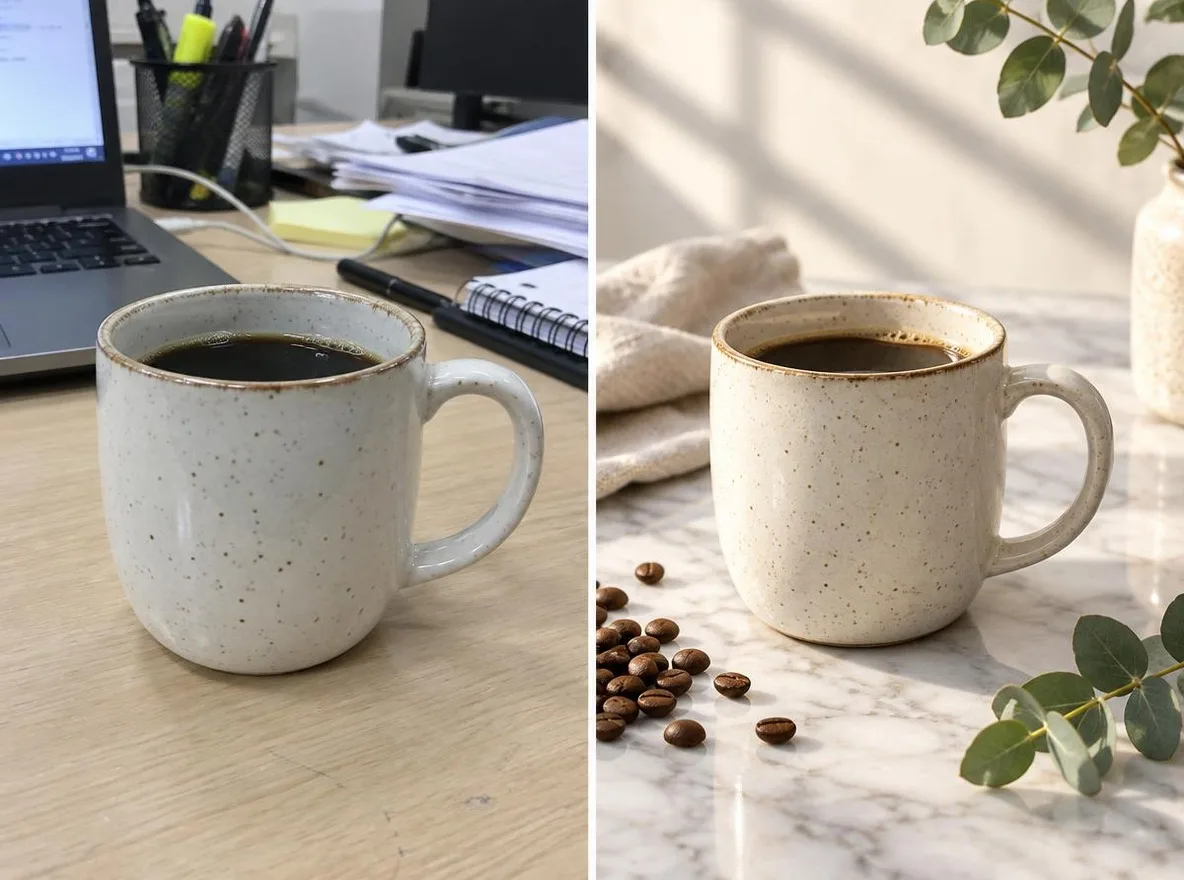
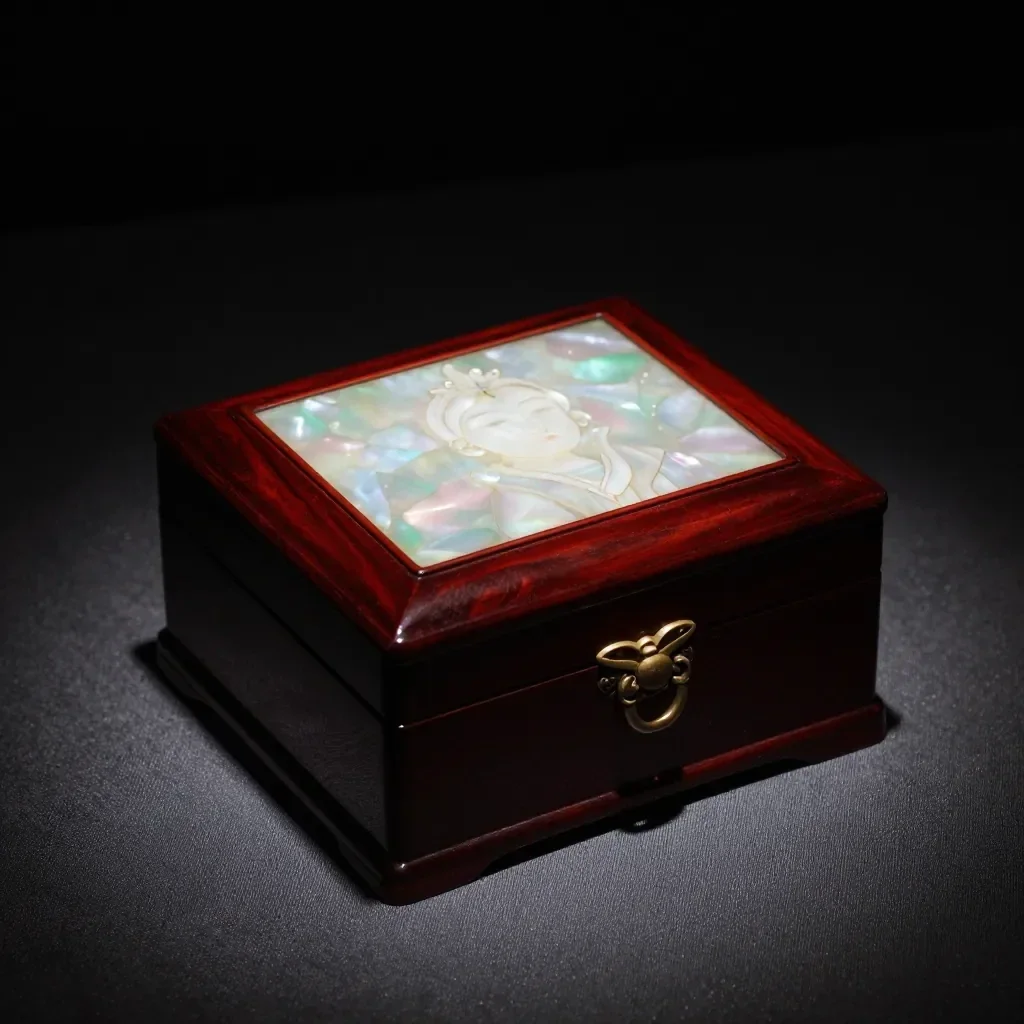
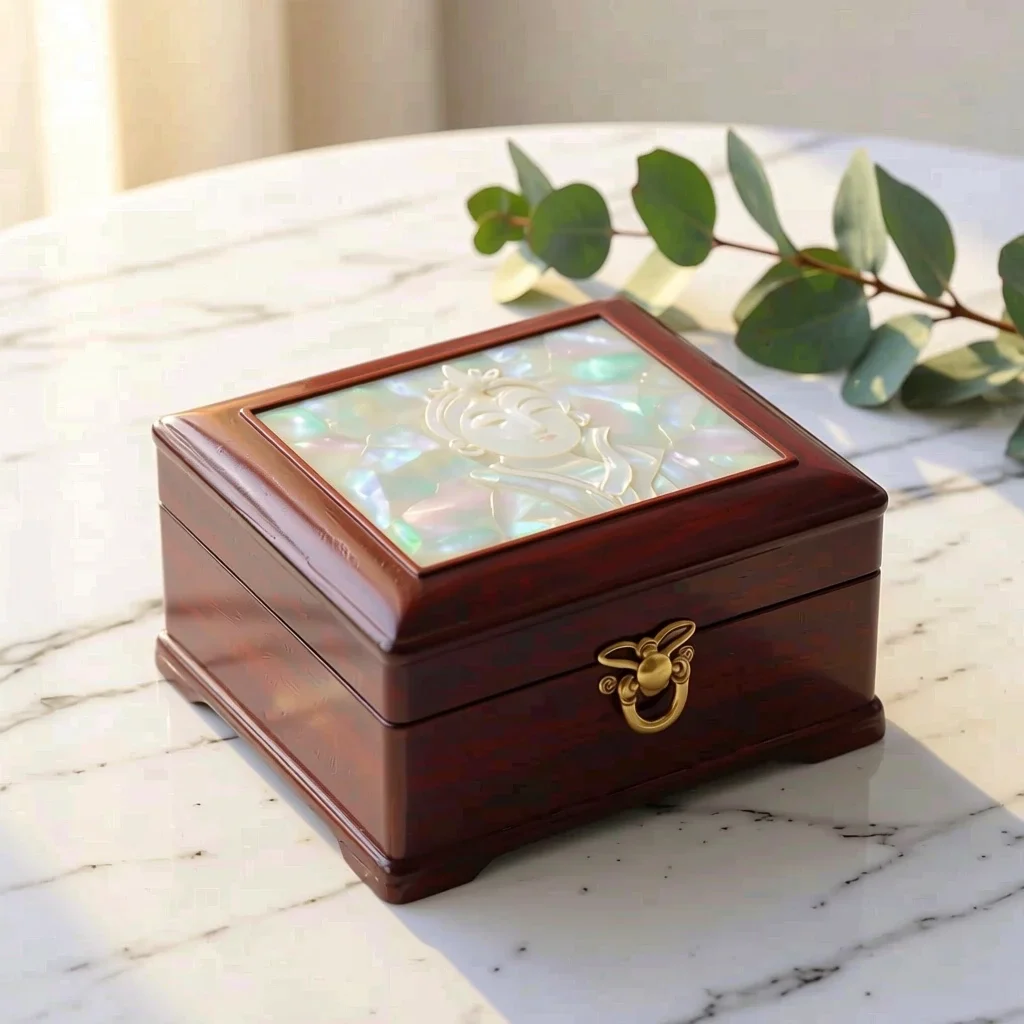
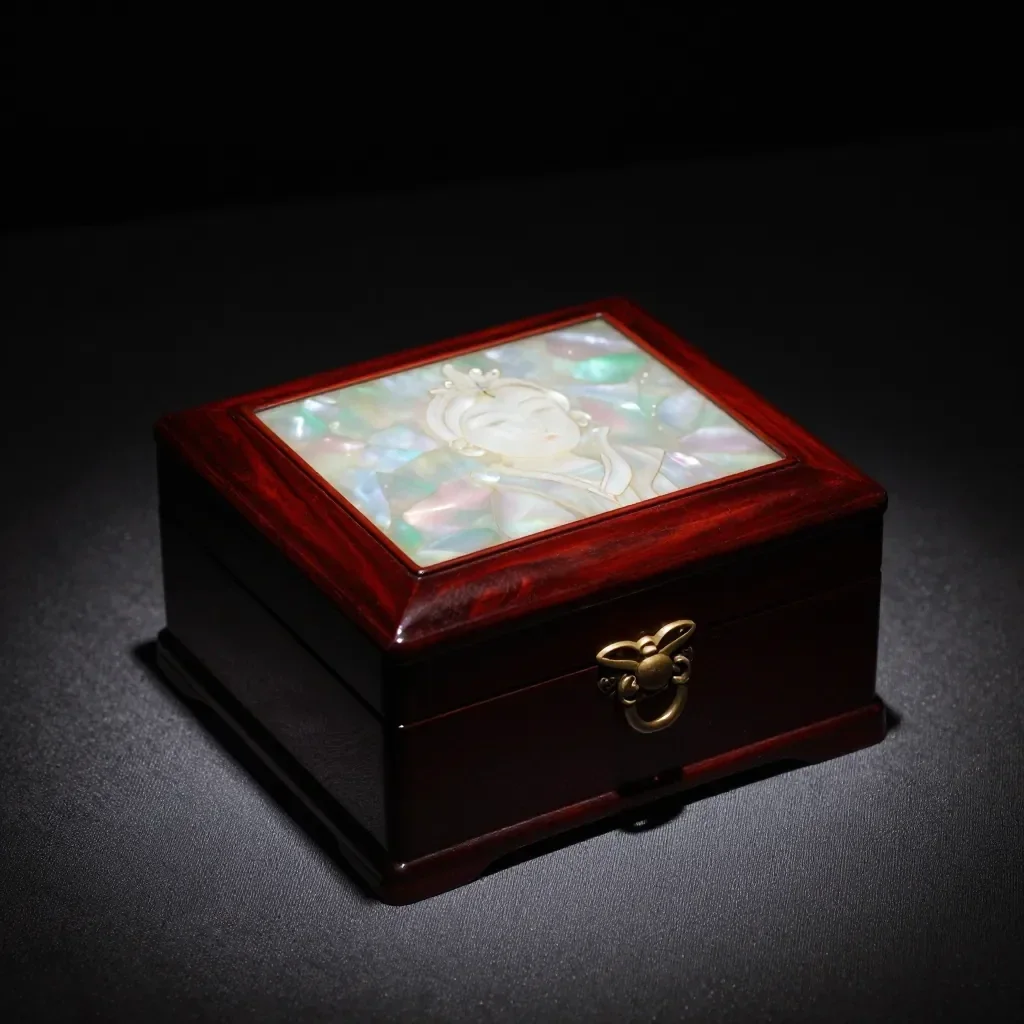
The two before-and-after pairs are real runs of the Product scenes app. The clips were made from a written description in the video studio, not from those pictures; they show the kind of product motion the models make.
 മുമ്പ്
 ശേഷം
 മുമ്പ്
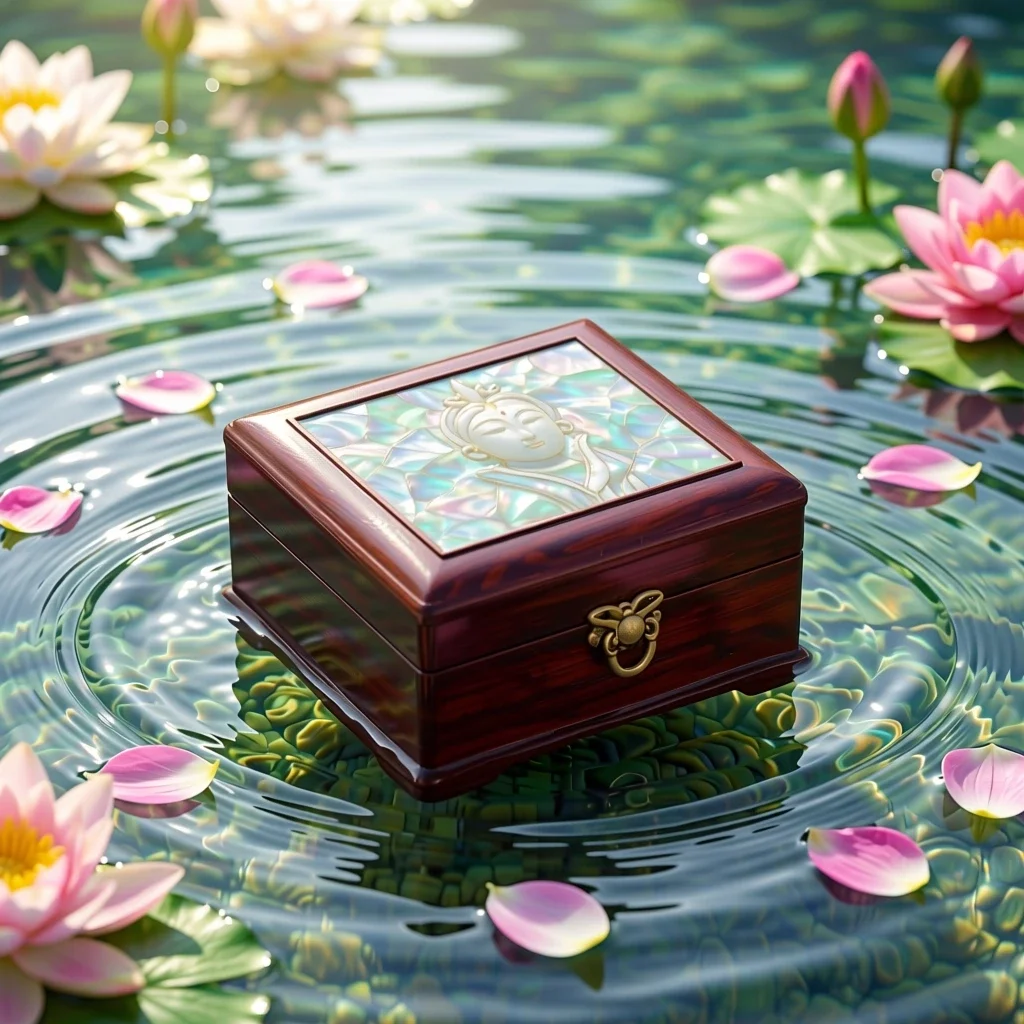 ശേഷം
Why make product clips on Pickshot
Scene first, then motion
Most product photos are shot on a desk. Change the setting first, then animate, so the clip shows the product in the place you want customers to imagine it.
One first frame, many clips
Run the same picture with different motion words, such as a slow quarter turn, water droplets or a light sweep, and keep the one that suits the page.
Short clips fit the job
Five seconds is enough for a listing hero clip or a launch post, and it is the length a free account can make.
The price comes first
The app and every model show their credits on the button before a run, and Lacquer costs no credits within its free allowance.
How to make a product video
Start with a clear photo
Use one product, fully visible, on a plain background in even light. Strong reflections and cluttered backgrounds make the motion messy.
Choose a scene
Open the Product scenes app, upload the photo and pick Marble, Water, Pastel studio, Nature or Gift season. Check that the label and shape still match the real product, or skip this step.
Make a video from it
On the finished picture choose Make a video. Pick Lacquer for a free clip and describe one motion, for example a slow quarter turn while soft light sweeps across the bottle.
Check and download
Watch the whole clip. Look at the label, the edges and any text, then download it or try a different motion word.
Where product clips help
/01
Listing hero clips
A short loop-style clip at the top of a product page shows shape and finish better than one still.
/02
Launch and gift-season posts
Announce a new product, or restyle the same photo for a holiday set, and animate each version.
/03
Ad drafts
Test a look, a setting and a motion on screen before you pay for a real shoot.
ആവശ്യാനുസരണം ക്രെഡിറ്റുകൾ വാങ്ങൂ; അംഗത്വങ്ങൾക്ക് ക്രെഡിറ്റുകൾ ഉപയോഗിക്കാം
പുതിയ അക്കൗണ്ടുകൾക്ക് 50 ക്രെഡിറ്റുകൾ ലഭിക്കും. സൗജന്യ അക്കൗണ്ടുകൾക്കും വെബ്സൈറ്റിൽ 5 അടിസ്ഥാന ഇമേജ് മോഡലുകൾ ഉപയോഗിച്ച് ക്രെഡിറ്റുകൾ ചെലവാക്കാതെ പരിധിയില്ലാതെ ചിത്രങ്ങൾ സൃഷ്ടിക്കാം. വെബ്സൈറ്റിൽ Lacquer വീഡിയോകൾ ദിവസം 3 വരെ സൗജന്യമായി സൃഷ്ടിക്കാം; ഓരോ ക്ലിപ്പും പരമാവധി 5 സെക്കൻഡ്. അംഗങ്ങൾക്ക് ഉൾപ്പെടുത്തിയ മോഡലുകൾ ക്രെഡിറ്റ് കുറയാതെ പരിധിയില്ലാതെ ഉപയോഗിക്കാം. മറ്റ് മോഡലുകൾക്കും API/MCPക്കും പ്രത്യേകം നിരക്ക് ബാധകമാണ്.
Pickshot-series models without credits · 4 generations at a time · Unlimited free-model images (Higher priority than Free)
Pickshot-series models without credits · 8 generations at a time · Unlimited free-model images (Higher priority than Plus)
Booster Pass-കളും അംഗത്വങ്ങളും താൽക്കാലികമായി ലഭ്യമല്ല. നിങ്ങൾക്ക് ഇതിനകമുള്ള ക്രെഡിറ്റുകളും അംഗത്വങ്ങളും കാലാവധി തീരുംവരെ പ്രവർത്തിക്കും.
ചോദ്യങ്ങൾ
Will the product look exactly the same?
The app is told to keep its shape and label, and image to video starts from your picture, but a model can still change text, logos and small details between frames. Always compare the clip with the real product before you sell with it.
Is it free?
The clip is free on Lacquer within its allowance: Lacquer videos are free on the website: 3 a day, up to 5 seconds per clip. The Product scenes app and the other models show their price on the button before you run.
How long can the clip be?
A free account makes clips up to 5 seconds. With a membership a clip can be as long as its model makes: Lacquer 10 seconds, partner models up to 30.
Can I add music or a voice-over?
Lacquer, Satin and MiniMax H3 make sound with the picture while Generate sound is on. For music, make a track in the music generator or the song maker; for narration, use the voice generator. Combine them in any video editor.
Can I use the clip on a shop listing?
Every shop has its own rules for product pictures and video, so check them first, and make sure the clip does not misrepresent the product. Label AI-made clips where a platform asks for it.
Do I need a studio photo to start?
No. A clear photo of one product on a plain background is enough, and the Product scenes app can change the setting for you.
Bring your product to life
Pick the scene, check the price and make the first clip. Compare it with the real product before you publish.
സൗജന്യമായി സൃഷ്ടിക്കാൻ തുടങ്ങുക