AI Relight: Change the Lighting in a Photo
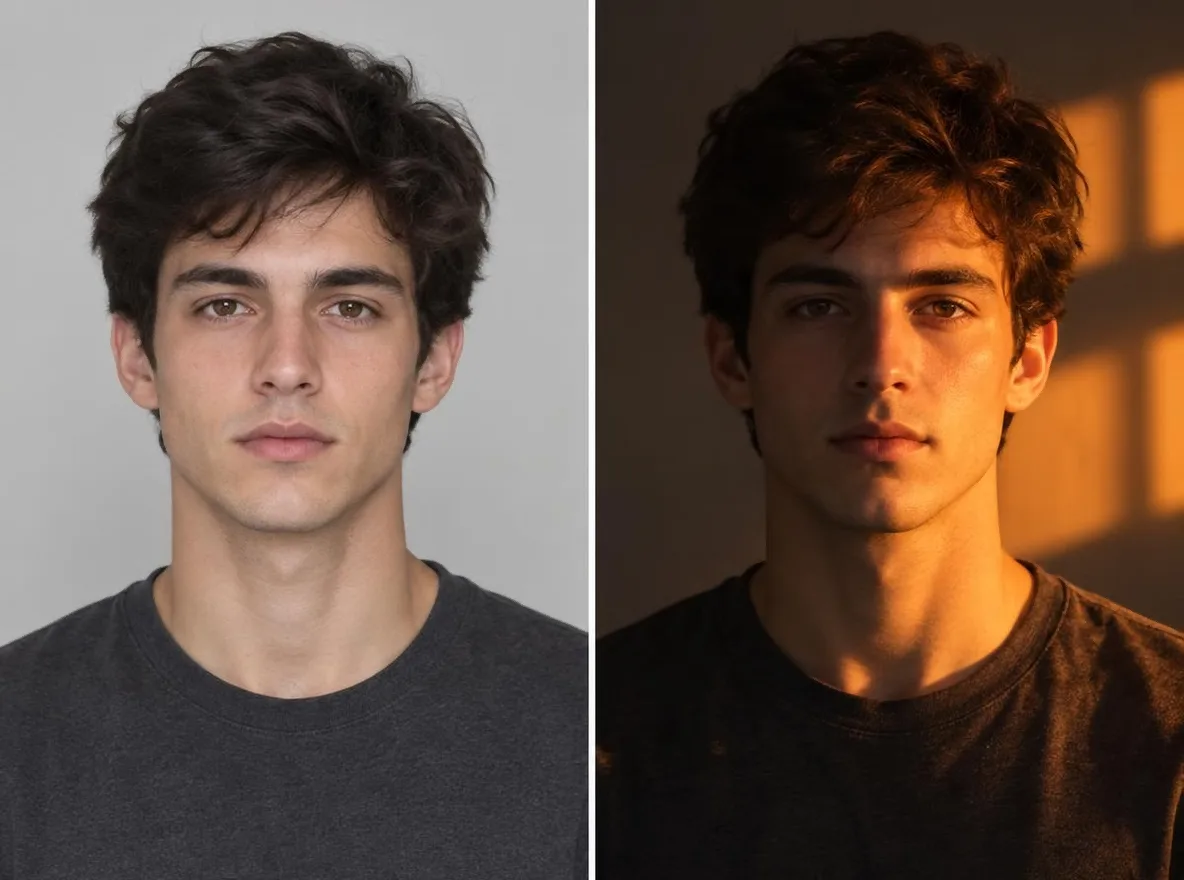
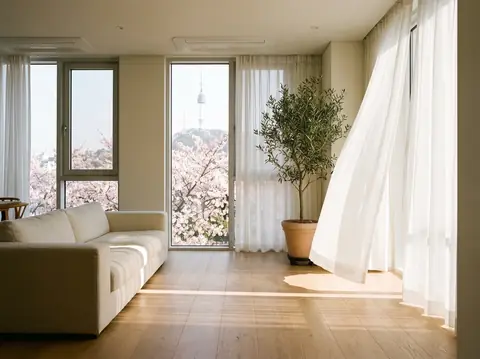
Pickshot's Relight app keeps the subject, pose, clothing and composition of your photo and changes only where the light comes from and how it feels. Combine five directions (left, right, top, backlight, front) with five moods (golden hour, neon, studio, moonlight, window light) to turn an overcast snapshot into a sunset portrait or add a rim of backlight to a flat selfie.
નવા ખાતાને 50 ક્રેડિટ મળે છે. મફત ખાતાં પણ વેબસાઇટ પર 5 મૂળભૂત ઇમેજ મોડેલથી ક્રેડિટ ખર્ચ્યા વિના અમર્યાદિત ચિત્રો બનાવી શકે છે. વેબસાઇટ પર Lacquer વિડિયો મફત છે: દરરોજ 3; દરેક ક્લિપ વધુમાં વધુ 5 સેકન્ડની હોય છે. સભ્યો સમાવિષ્ટ મોડેલ ક્રેડિટ કપાયા વગર અમર્યાદ વાપરી શકે છે. અન્ય મોડેલ અને API/MCP માટે અલગ ચાર્જ છે.
અપડેટ કર્યું
આ કેવી રીતે કામ કરે છે
- Upload the photo you want to relight.
- Pick one light direction (left, right, top, back or front) and one mood (golden hour, neon, studio, moonlight or window light).
- Press Relight, check the result and download it.
નમૂના સૂચનાઓ
અમારી લાઇબ્રેરીની AI છબીઓનાં વાસ્તવિક પરિણામો. કોઈ વાસ્તવિક વ્યક્તિનો ફોટો વપરાયો નથી.
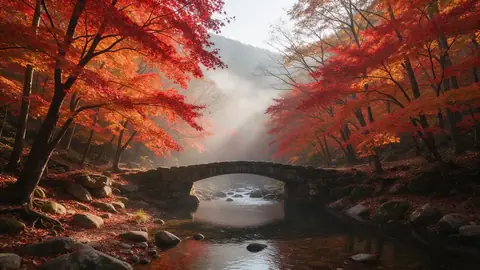 પહેલાં
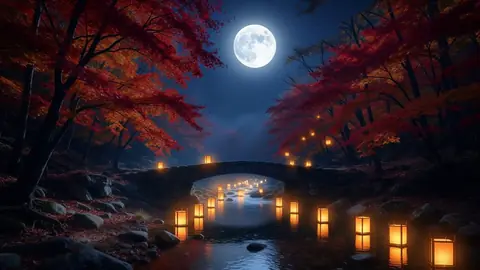 પછી
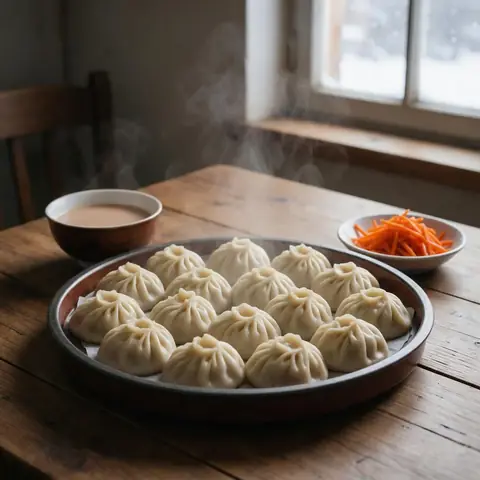 પહેલાં
 પછી
 પહેલાં
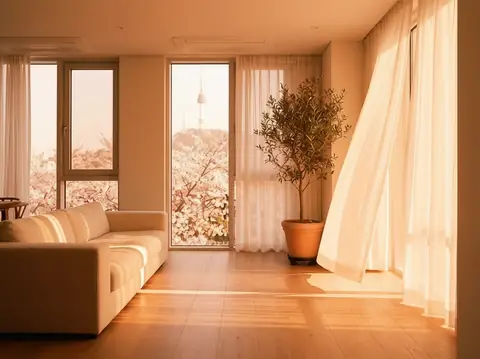 પછી
આ માટે યોગ્ય
- Turning an overcast portrait into golden hour
- Giving product shots a studio-lit look
- Matching the mood of photos across a social feed
સારા પરિણામો માટે સૂચનો
- The sharper the subject, the more naturally the new light settles on it.
- Backlight puts a rim of light around hair and shoulders, which flatters portraits.
- Make a few versions of one photo with different moods and keep the one that fits your feed.
પ્રશ્નો
How much does it cost?
Free models are unlimited with an account. Models marked “Free with membership” are unlimited without credits during membership. Otherwise, the displayed credit price applies. Developer API usage is billed separately.
Does the background change?
The app keeps the background and framing and changes only the light, but shadows and colours across the whole picture follow the new light. Because the result is AI-generated, small details can differ from the original.
What happens to the photo I upload?
Only upload photos of yourself or photos you have the right to use. Impersonating real people or using results to deceive others is prohibited. Uploaded photos go through a safety check, you can delete your generated images at any time, and nothing appears in the public Explore feed unless you choose to share it.
વધુ ઍપ્સ

ફોટામાંથી ઍનિમે
સેલ્ફીને ઍનિમે, વેબટૂન, જળરંગ અથવા 3D આકૃતિ તરીકે ફરી દોરો.

AI પ્રોફાઇલ ફોટો
સામાન્ય સેલ્ફીને ઓળખપત્રના ફોટા, નોકરીની અરજીના હેડશૉટ કે સામાજિક અવતારમાં ફેરવો.

પરંપરાગત પહેરવેશ
પોતાને હાનબોક, કિમોનો, ચીપાઓ અથવા હાનફુમાં જુઓ.

પ્રવાસની પૃષ્ઠભૂમિ
પોતાને જાળવો, પૃષ્ઠભૂમિ ક્યોટો, સિઓલ, શાંઘાઈ કે જેજુ કરો.